【Panda Remit】US Wire Payment Tutorial
PandaRemit_OP - 2026-01-28 16:44:10.0 819


Create a remittance order and select bank transfer payment.
Enter the amount you wish to send and tap 【Start Transfer】to initiate your request
Under Payment Methods, select 【Wire Transfer】to continue
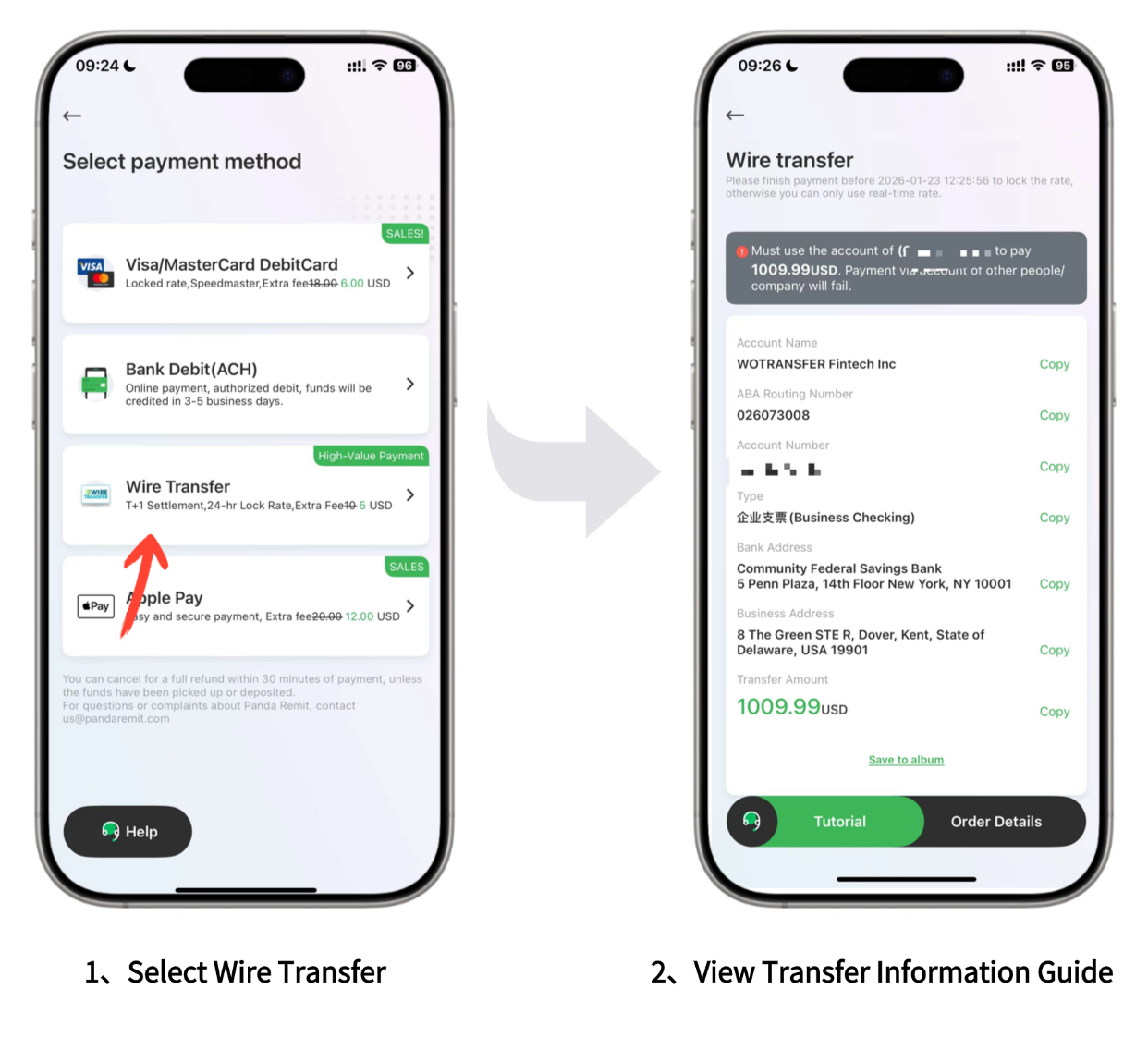
Once you've selected Wire Transfer, the following payment details will be displayed.
Please use this information to complete the transfer from your bank account:
Account Name
ABA Routing Number
Account Number
Account Type
Bank Address
Business Address
Important Note:
- Unique Account Number: For your security, Panda Remit assigns a unique deposit account numver to every user. Do not use another person's payment infomration to complete your transfer
- Personal Account Onmy: You must use a bank account in your own name to complete the transfer. Payments from third-party or business accounts will be rejected

Example: Transferring via Bank of America (BoA)
Once you have created your order in Panda Remit, you can proceed to your bank's app to complete the payment
Step 1: Log in to the BoA App
Before you begin, please have the following recipient details ready:
- Recipient Name & Address
- Routing Number
- Account Number
- Account Type
Note: If you haven't enable SafePass, you may also need your debit card number and PIN to authorize the transfer
Select Pay & Transfer to get started.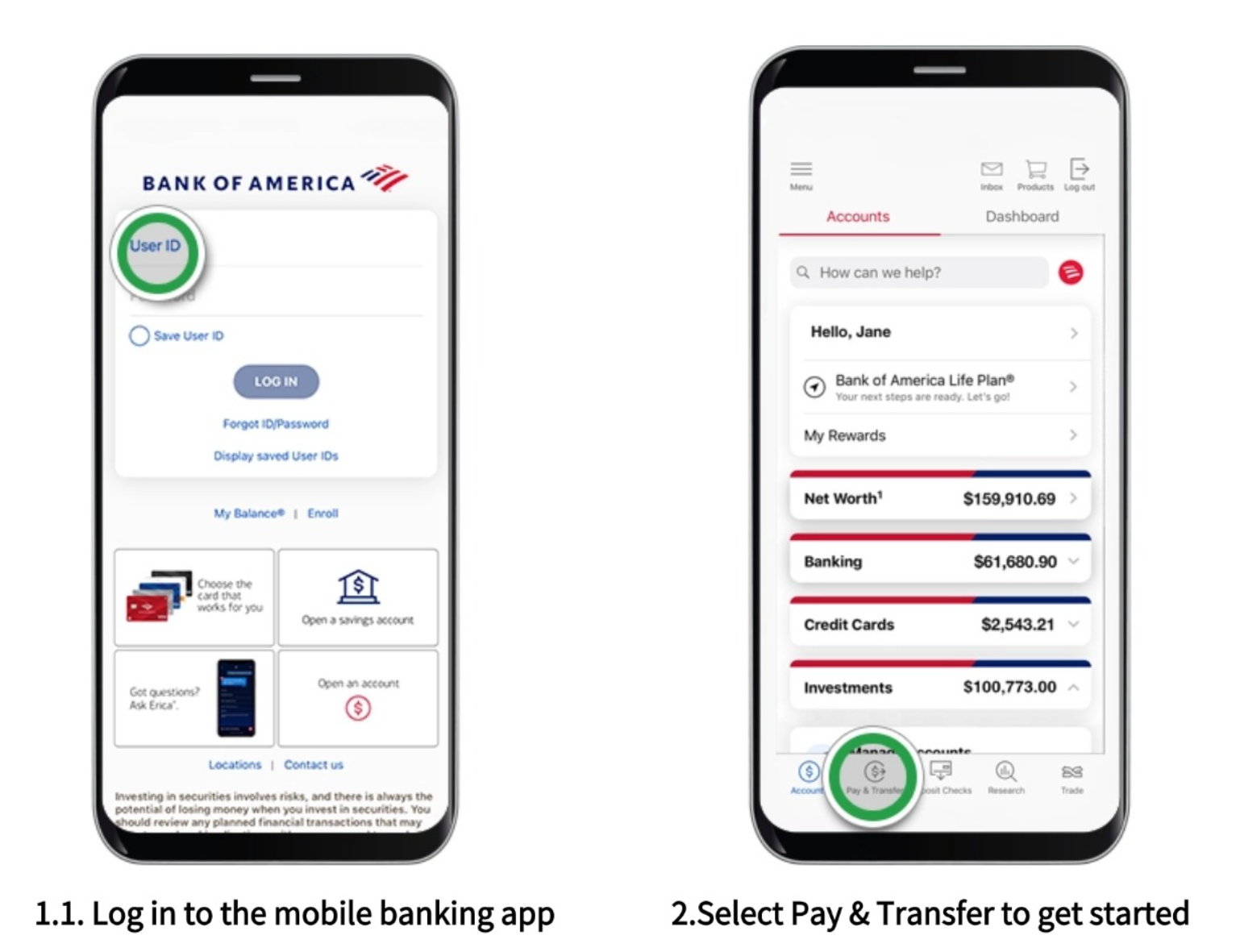
Step 2: Select "Wire",
If you hold both banking and investment accounts, choose the specifirc account you wish to transfer funds from.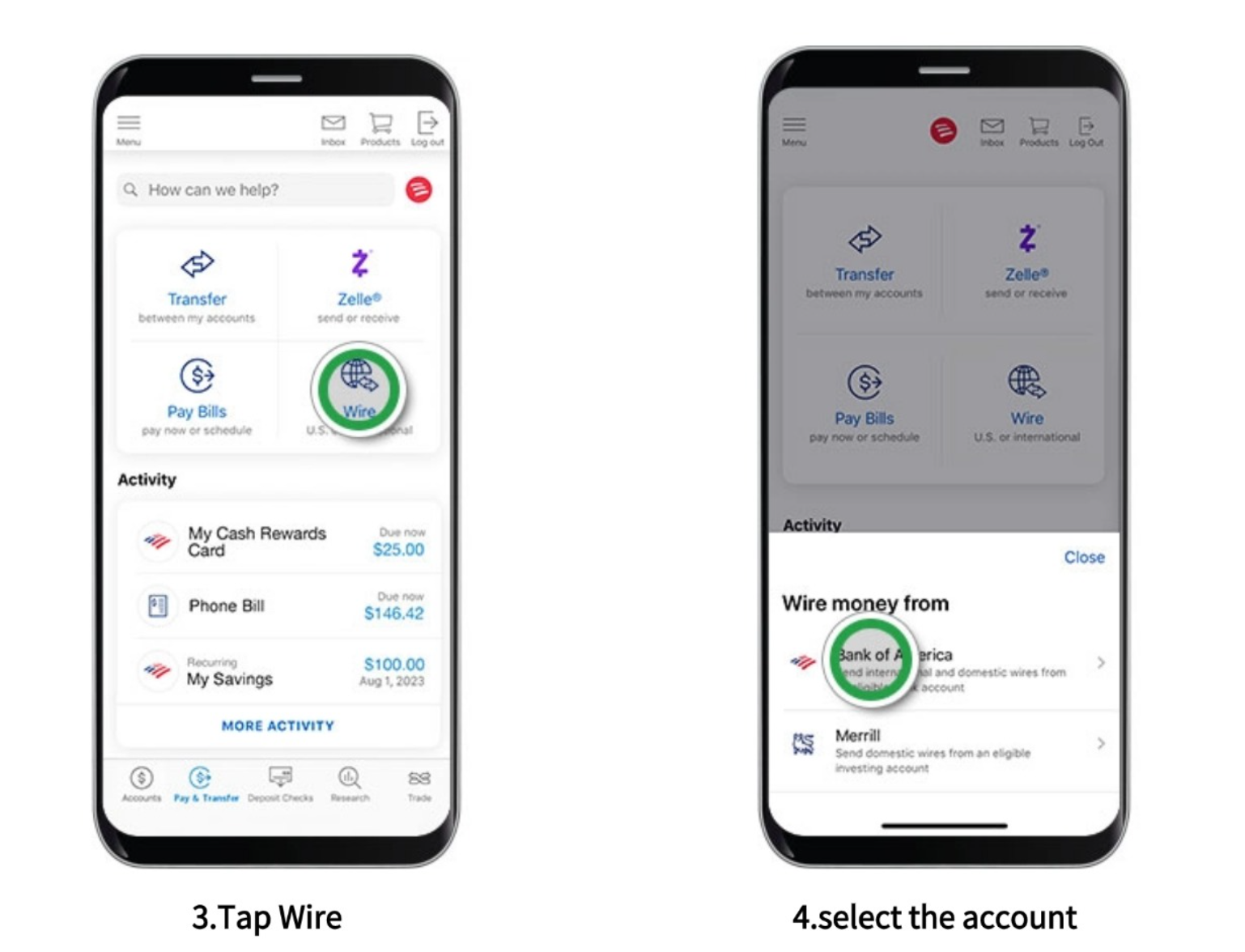
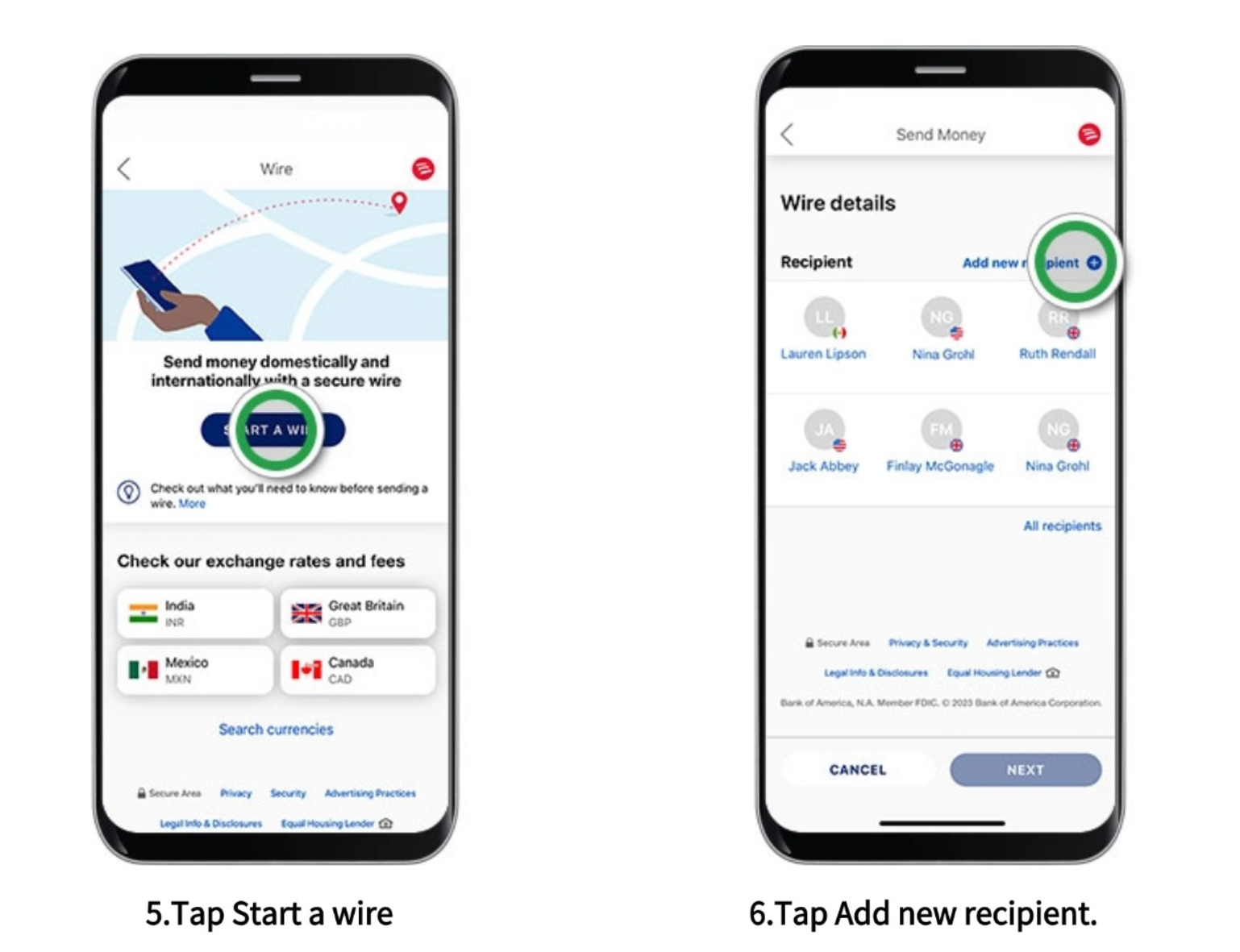
Step 3:Start the Wire
Tap "Start a Wire" to initiate.Then, select "Add New Recipient"
Step 4: Select Destination & Account Type
For recipients within the U.S. (including U.S. territories), select "United States" and tap "Next". Choose the recipient's Account Type and tap "Next"
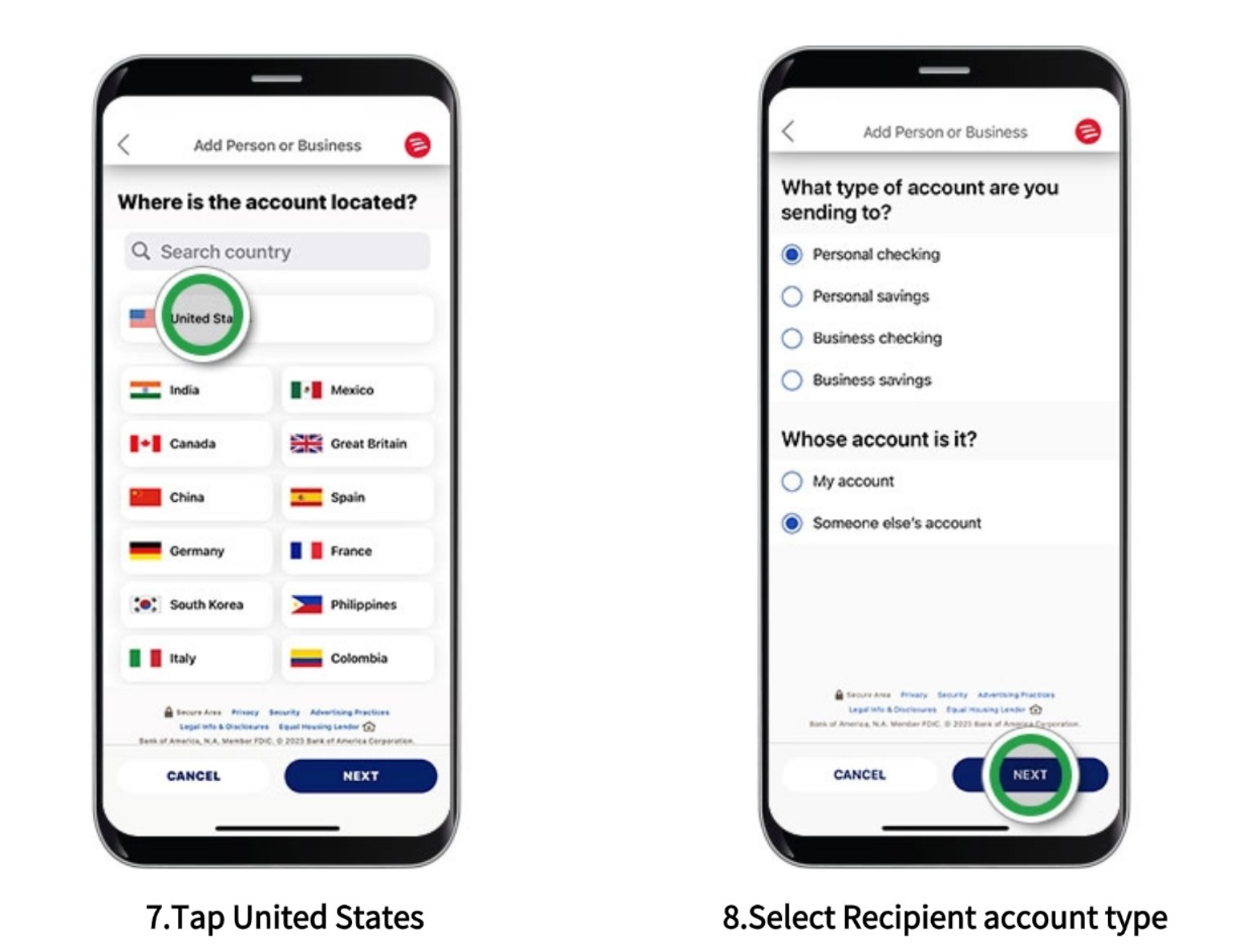
Step 5: Enter Recipient Details
Enter the recipient's name and address. Select the State/Province from the menu. After filling in all details, tap "Next". Next, add the Account Number and Routing Number (ensure you use the specific Wire Routing Number provided by the bank). Tap "Next"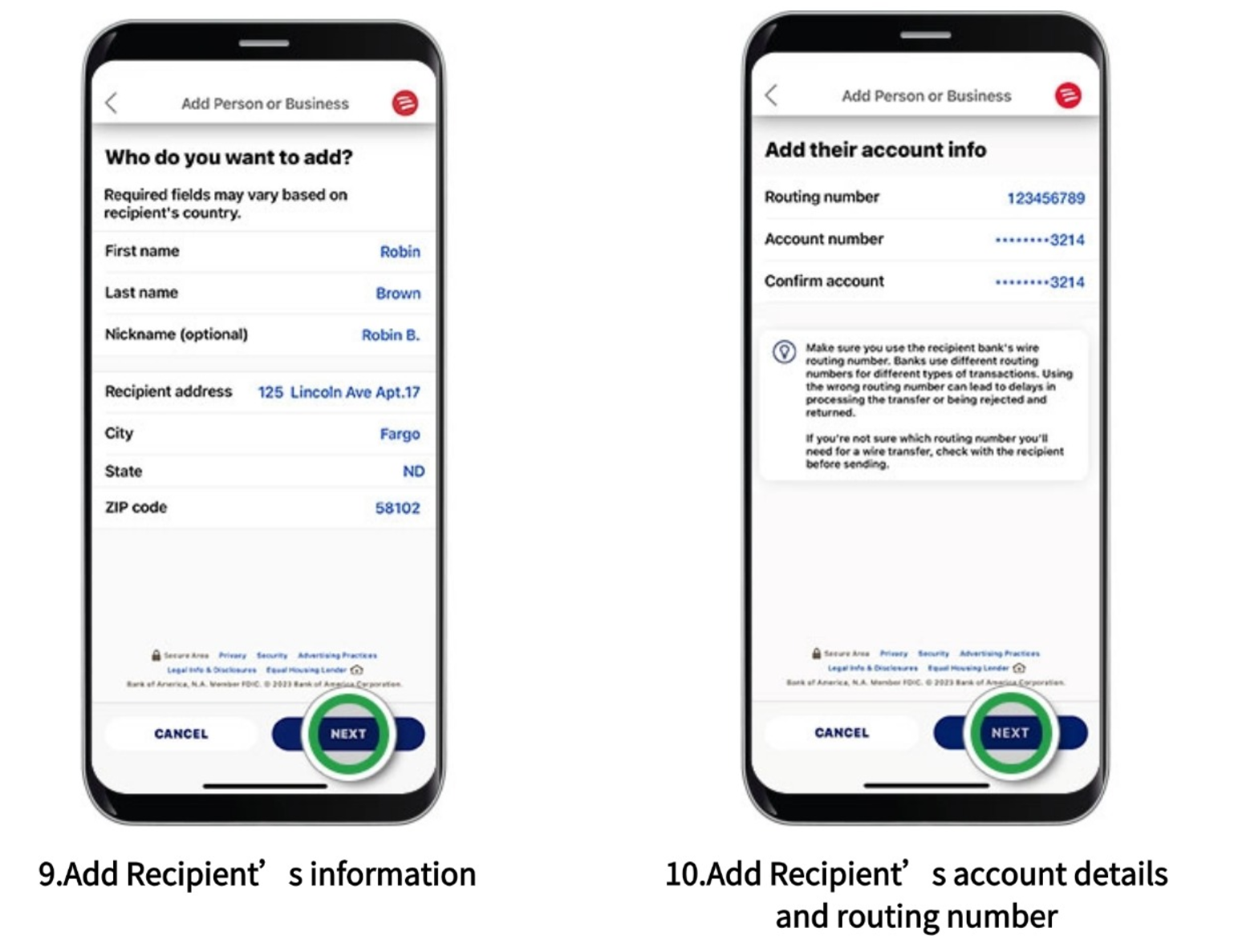
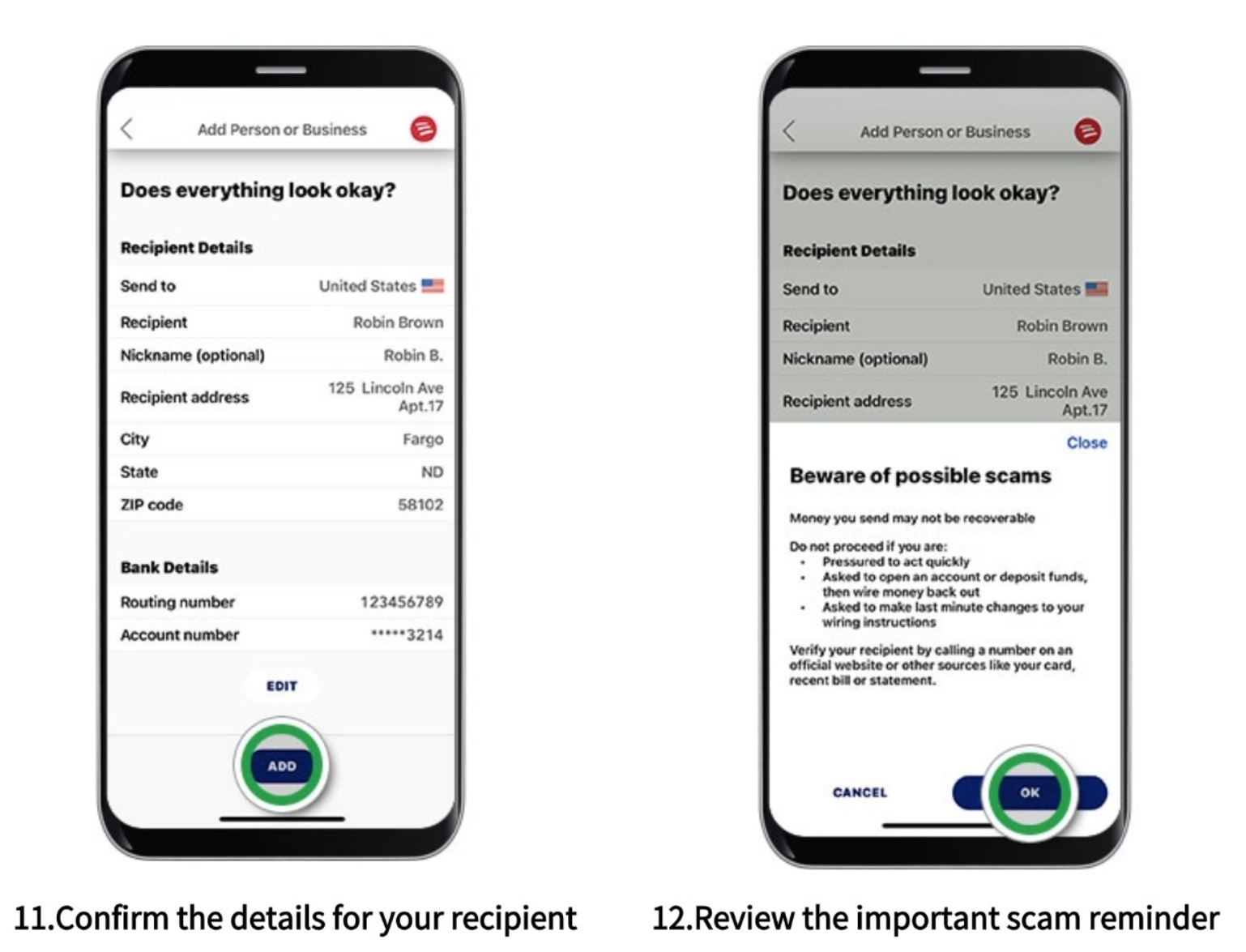
Step 6: Confirm & Fraud Warning
Review the recipient's details carefully - be sure to scroll down to see everything. Tap "Add". Security Alert: Read the fraud prevention notice and tap "OK"
💡Tip: Never ignore these warnings. If someone tells you to disregard them, it is likely a scam
Step 7: Select the Funding Account
Now that your domestic recipient is added, tap "Choose Account" to select the account you want to send money from. Tap "Next"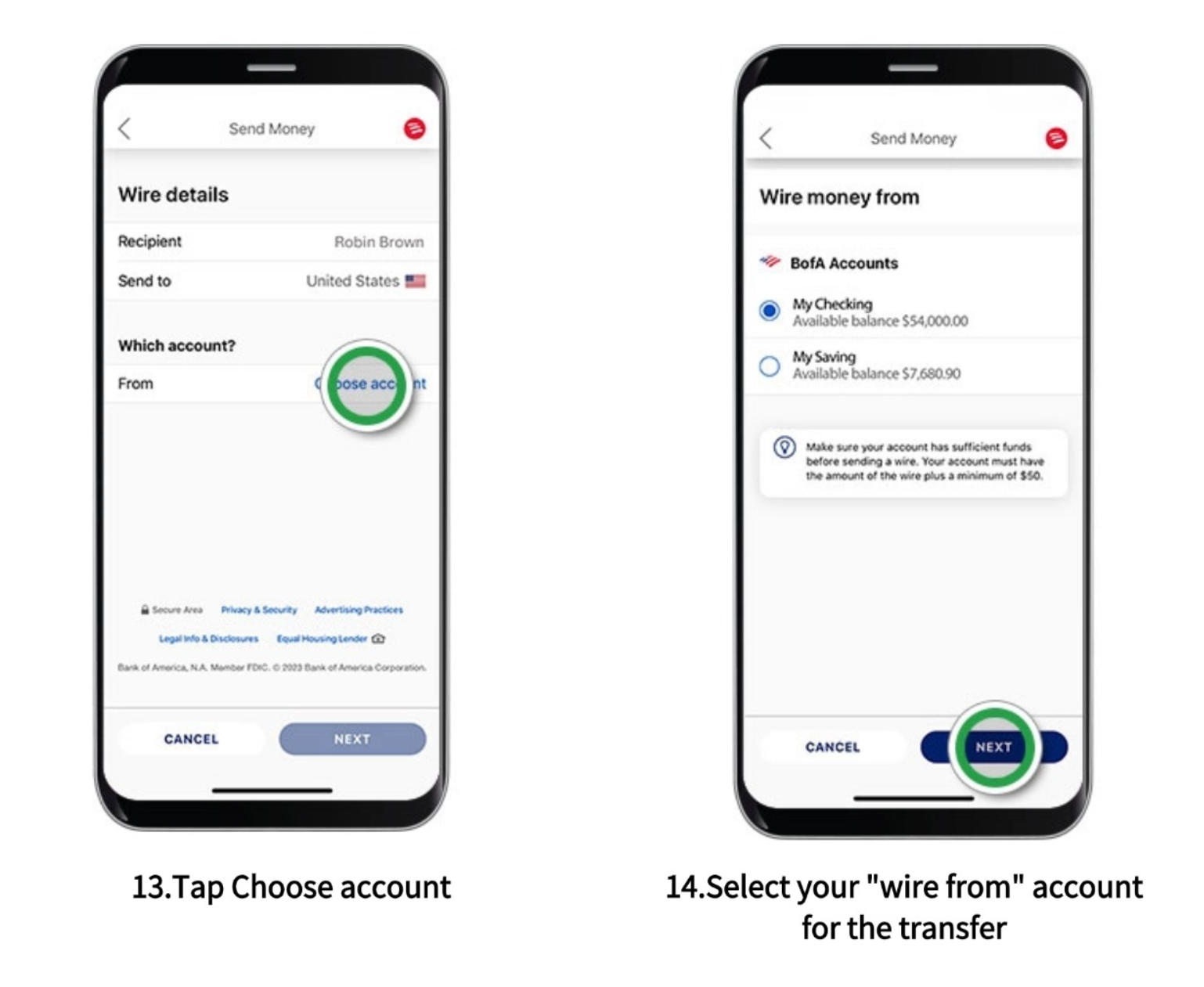
Step 8: Enter Amount & Reference
Tap "Enter Amount" and input the transfer amount. Tap "Next". Scroll down to review the Total Wire Fees. If needed, you can add a note in the "Message to Recipeint". Tap "Next"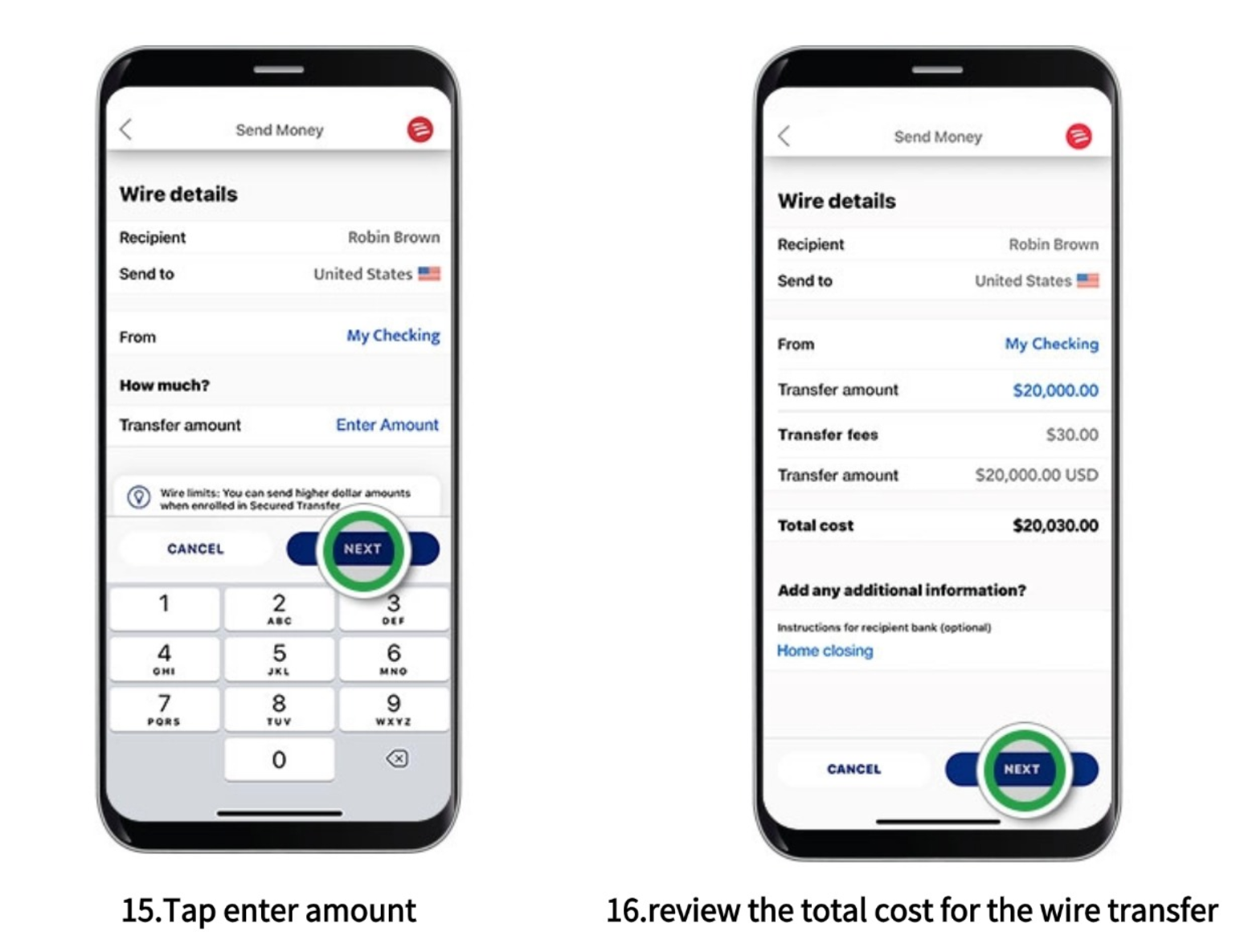
Step 9: Security Verification (SafePass)
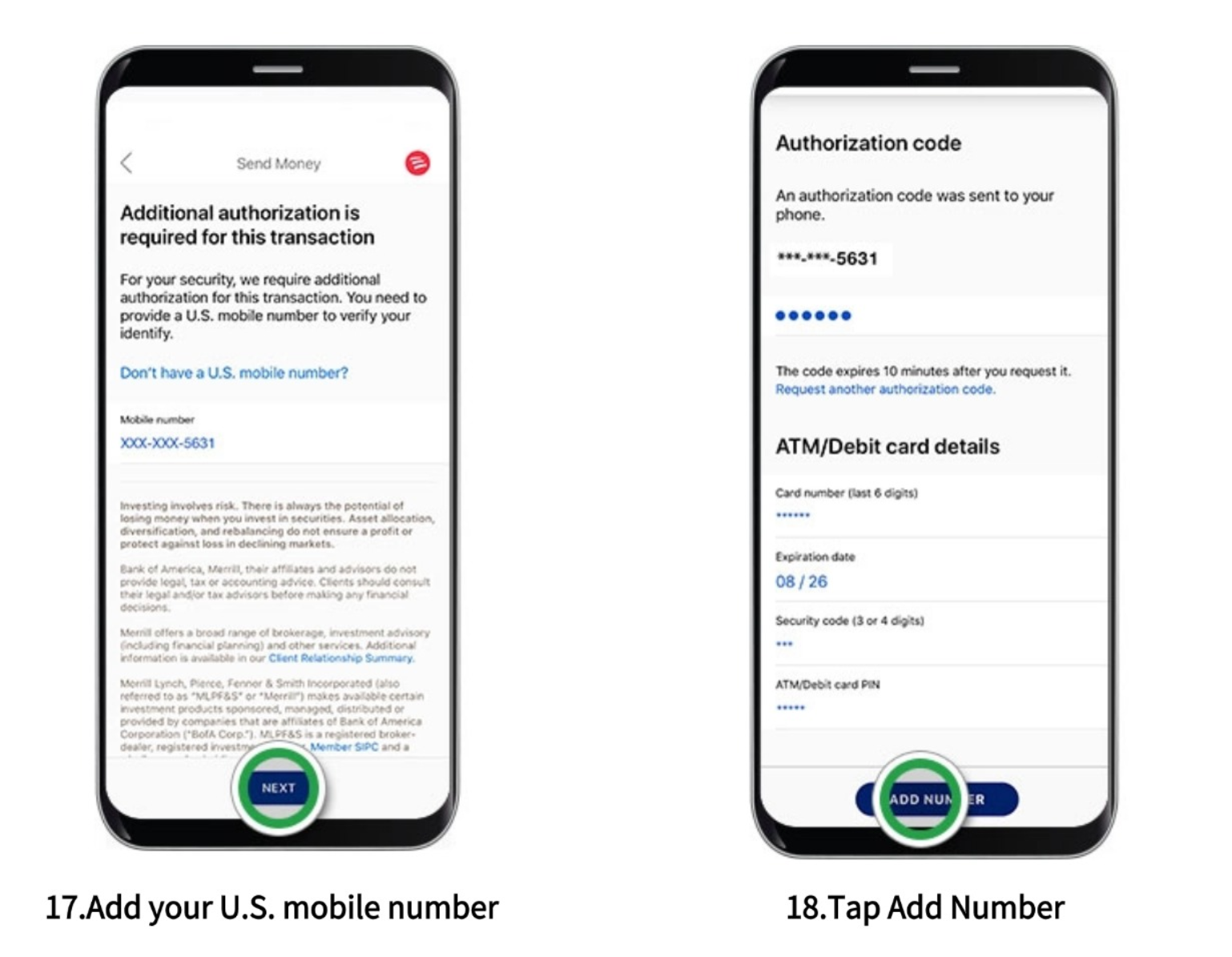
If you are not yet enrolled, you may need to register for SafePass. Enter your U.S. mobile number and tap "Next"
Notice: If already registered, you may be prompted for an authorization code for larger amounts.
Enter the code received via SMS and provide your ATM/Debit Card detials to verify. Tap "Add Number"
⚠️Safety Tip: Never share this code with anyone. BoA will never call or text you to ask for it
Step 10: Review & Send
You will see a confirmation that your number is registered. Tap "Continue". Carefully double-check all details. Expand all fields and scroll down to ensure accuracy. If you need to make changes, tap "Edit". Once confirmed, tap the Authorization Circle and then tap "Send"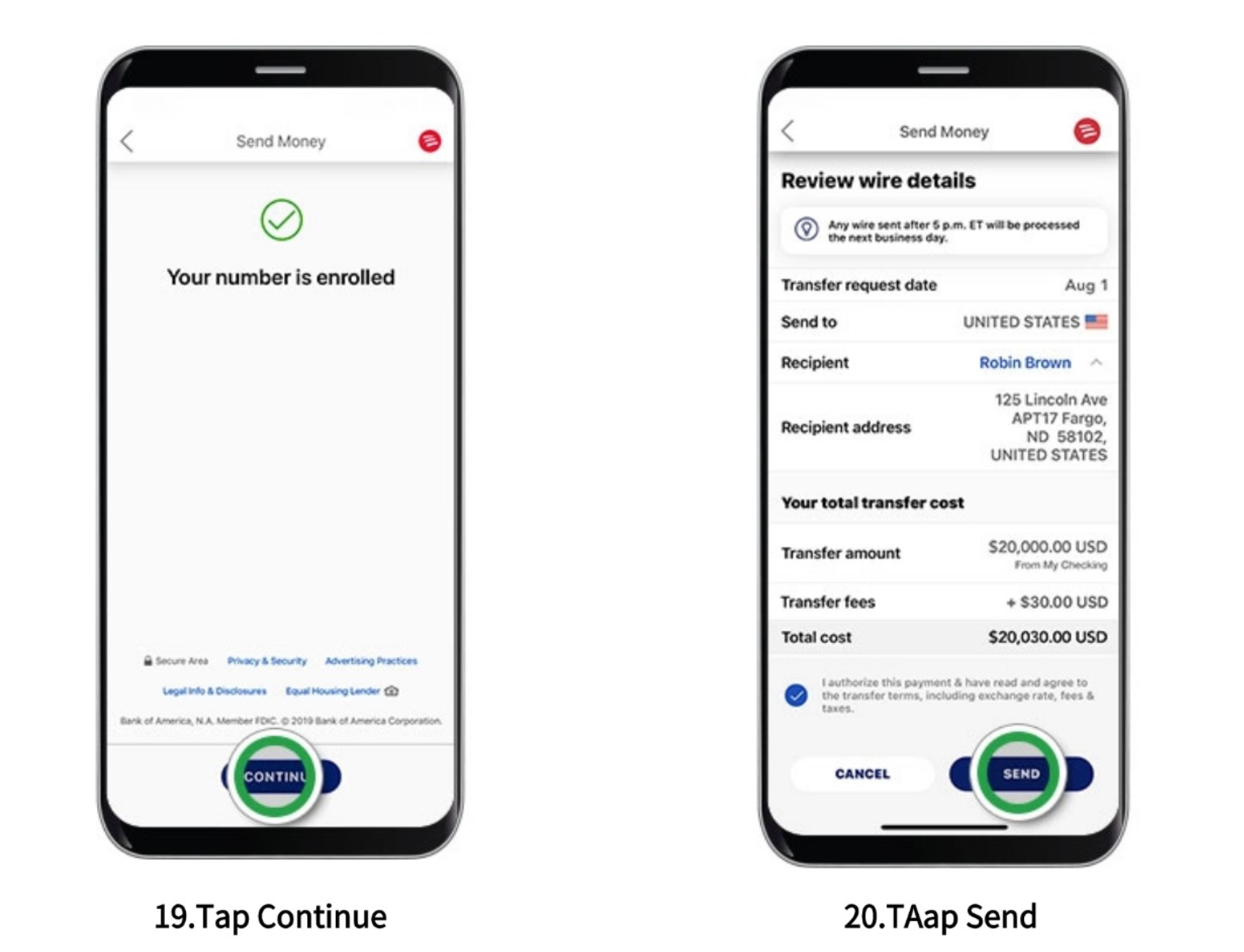
Step 11: Confirmation
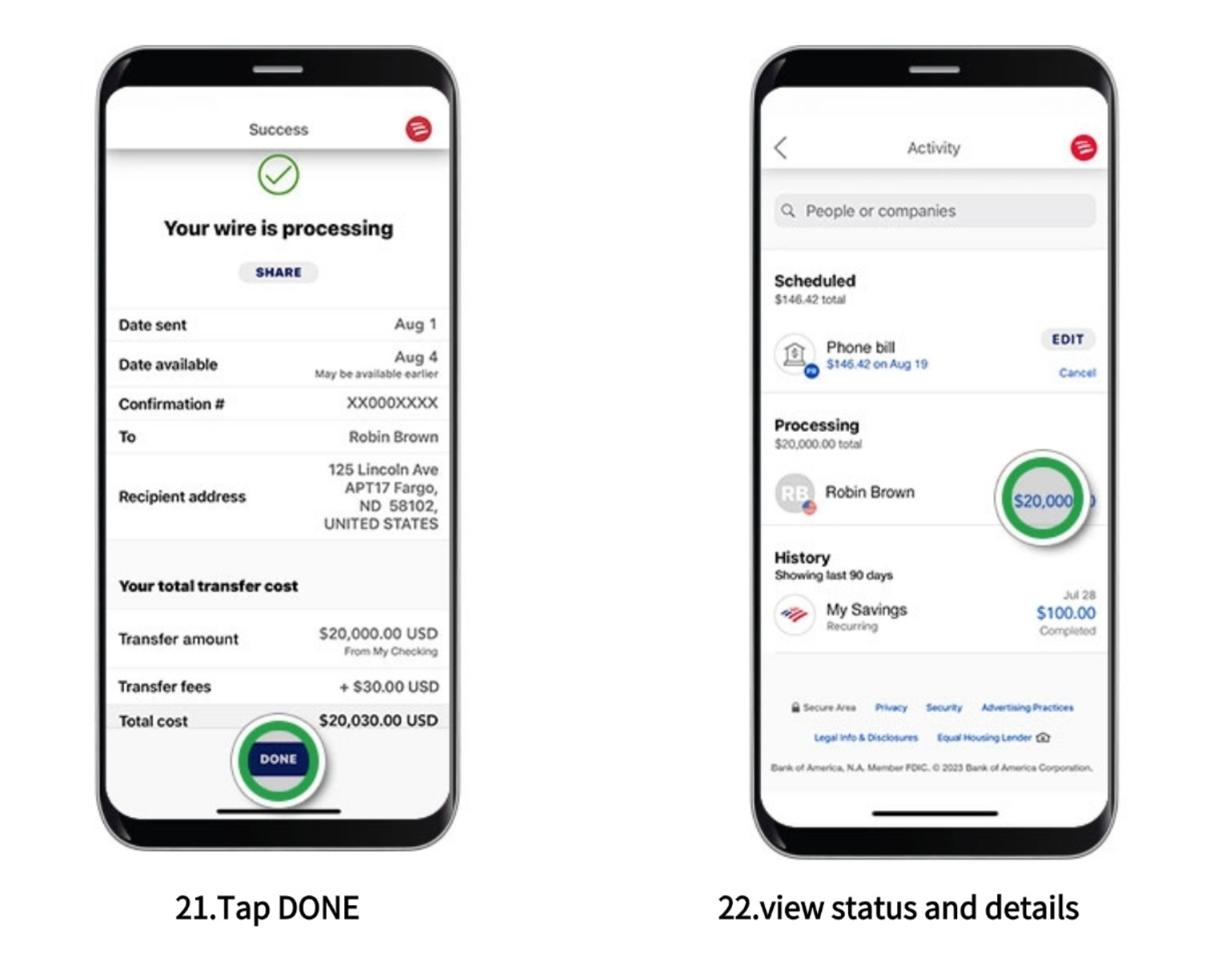
You will see a "Your Wire is Processing" screen. Tap "Share" to save or send the receipt. Tap "Done" to exit. You will also receive an email confirmation
Note: Domestic wires sent before 5:00 PM ET are typically processed on the same business day.
Status Tracking: You can track the status of your transfer at any time under the "Activity" tab

Wire Transfer Terms & Conditions
- Exchange rate Lock-In Policy
The current exchange rate is locked for 24 hours once your Wire payment order is submitted.
- Order Retention & Cancellation
Your order will remain active for 48 hours from the time of creation. Please ensure you complete the bank transfer within this window. If payment is not received within 48 hours, the order will be automatically cancelled by the system.
3.Expired Rate Adjustment
If your funds arrive after the 24-hour rate lock period has expired, the original locked rate will no longer apply. The transaction will be settled based on the real-time exchange rate at the moment the funds are credited to our account.
4.Processing Time Disclaimer
The actual arrival time of a Wire transfer depends on the processing speed of your sending bank. Once the funds reach our account, we will process your remittance immediately.
5.Transfer Verification (Security Notice)
To ensure fund security, and based on your bank’s risk management and personal online banking settings, you may be required to complete SMS verification (OTP) during the transfer. Please have your mobile device ready to complete the authorization.