How to Send Money from Canada to Thailand with Panda Remit
PandaRemit_OP - 117

A step-by-step guide for new Panda Remit users
This guide shows you how to create a Panda Remit account, set up a transfer from Canada to Thailand, add your recipient, choose a payment method, and track the order.
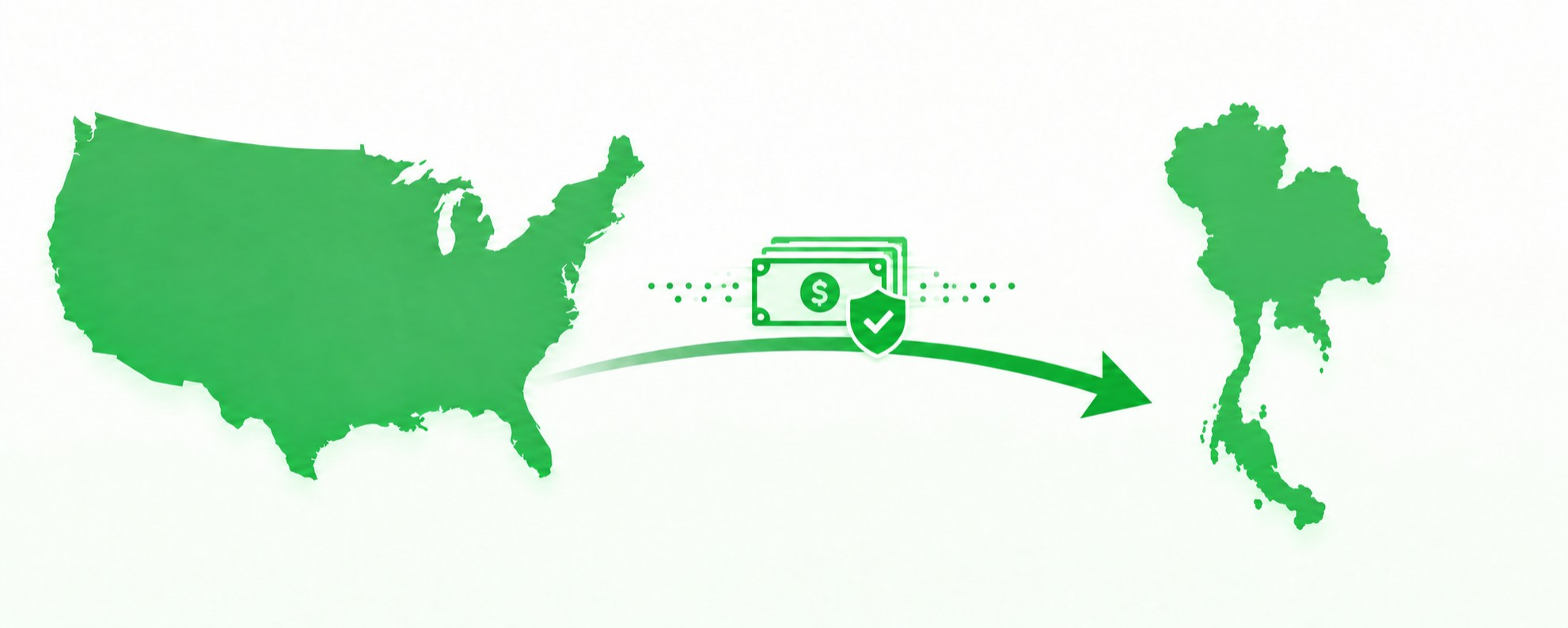
Send money from Canada to Thailand in the Panda Remit app
Before You Begin
Have the following information ready before you start
-A mobile number or email address
-An accepted identity document
-The recipient's personal and account information
-A supported payment method
Guide Overview
-Get Started
-Set Up Your Transfer
-Verify Your Identity and Add the Recipient
-Review, Pay, and Track

Stage 1 Get Started
Step 1 Download Panda Remit
Download the official Panda Remit app from the App Store or Google Play. Open the app after installation.
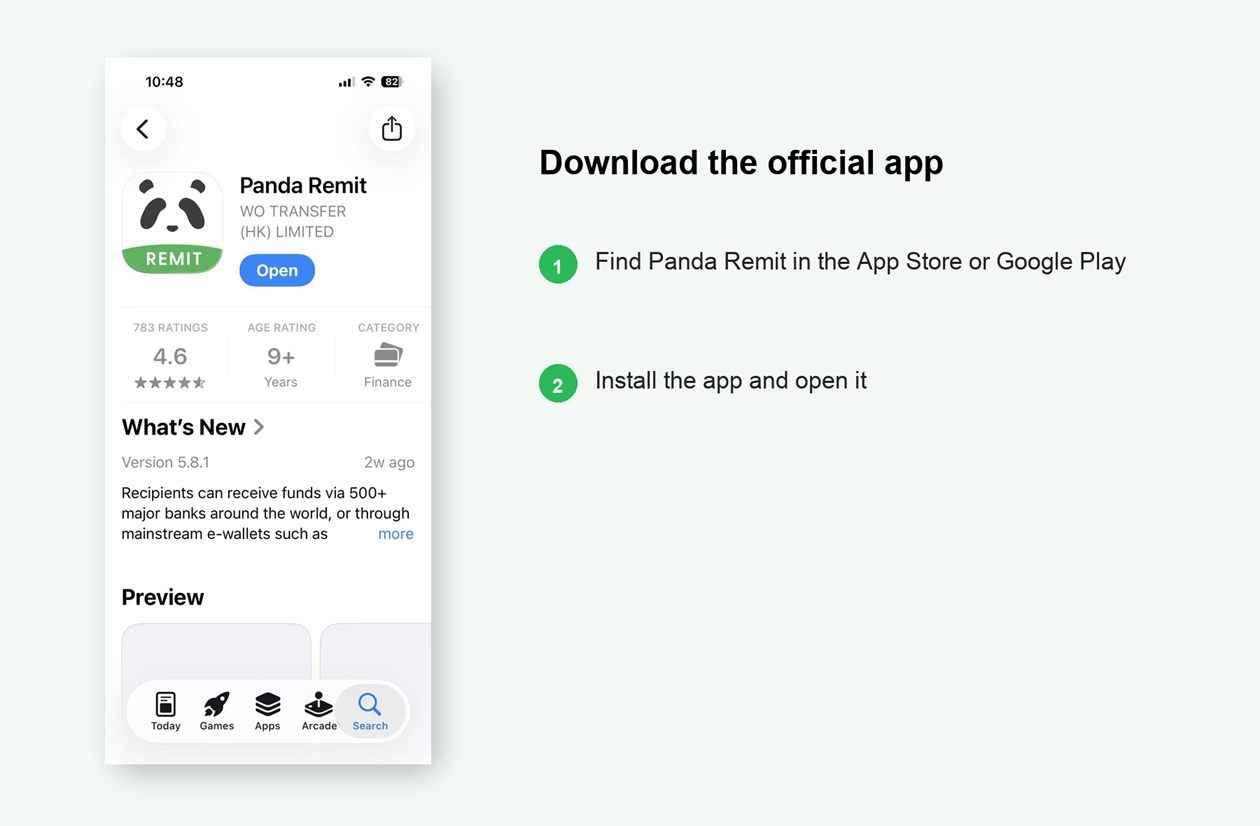
Download and open the official Panda Remit app
Download Panda Remit

★ ★ ★ ★ ★
4.5/5 (540,000 reviews)

★ ★ ★ ★ ★
4.8/5 (350,000 reviews)
Step 2 Create Your Panda Remit Account
On the transfer screen, confirm CAD and THB, then select Send Now. Then select Register and choose Canada as the country or region you are sending from.
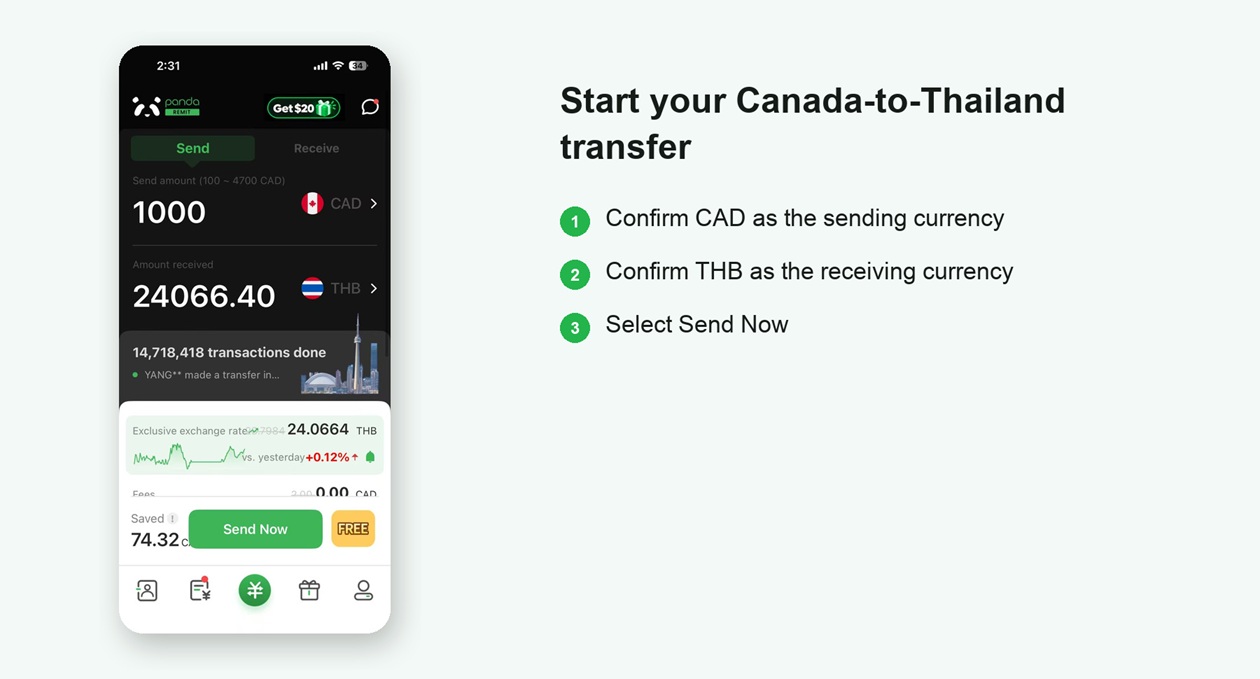
Start the Canada-to-Thailand transfer and open the registration flow
Register with a mobile number or email address. If a friend invited you, enter the referral code before you finish registration.
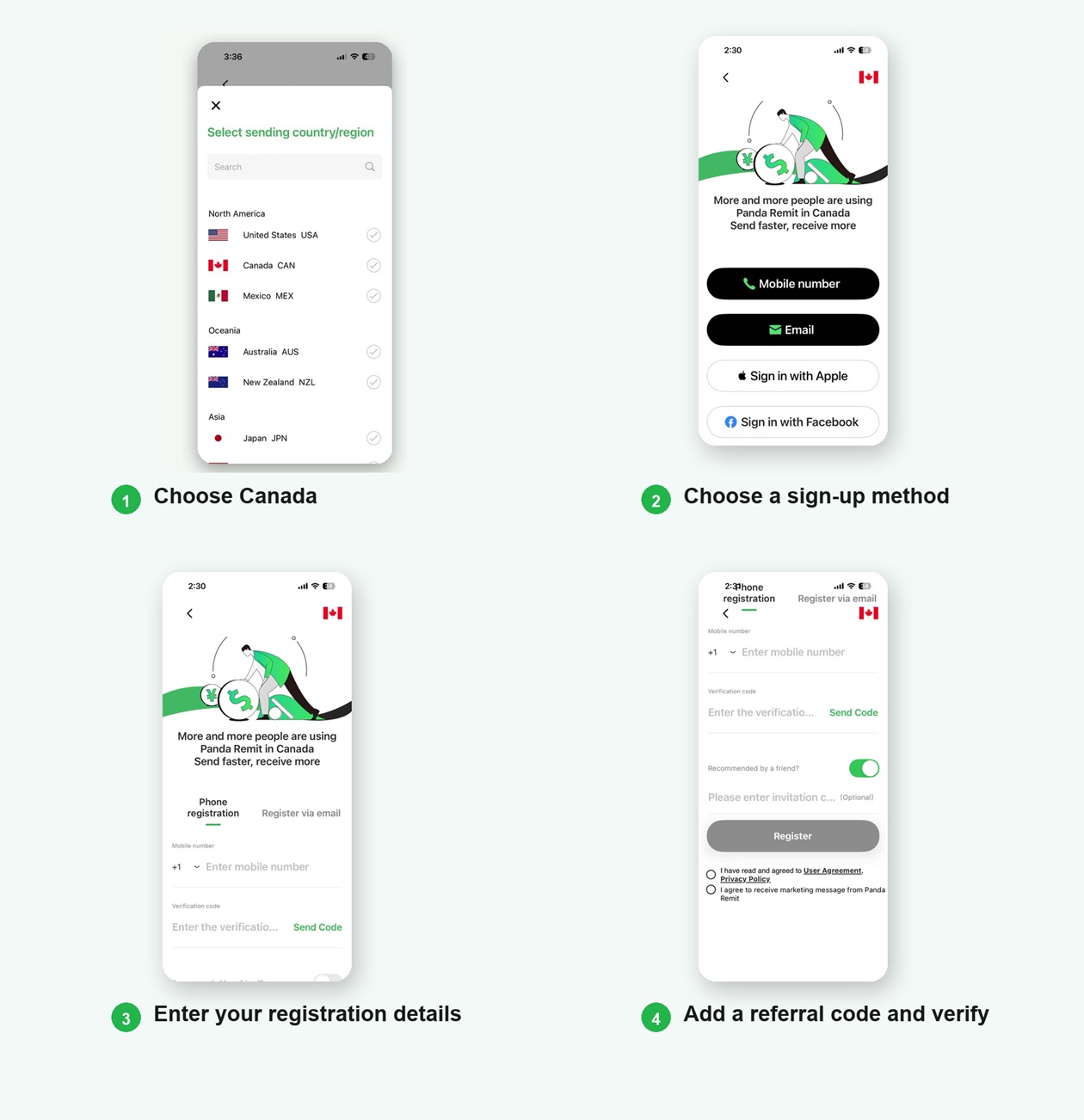
You are now ready to make your first transfer.

Stage 2 Set Up Your Transfer
Step 3 Choose the Countries and Amount
Set Canada as the sending country and Thailand as the destination. Enter the amount you want to send, then review the exchange rate, fees, and the amount the recipient will receive in THB.
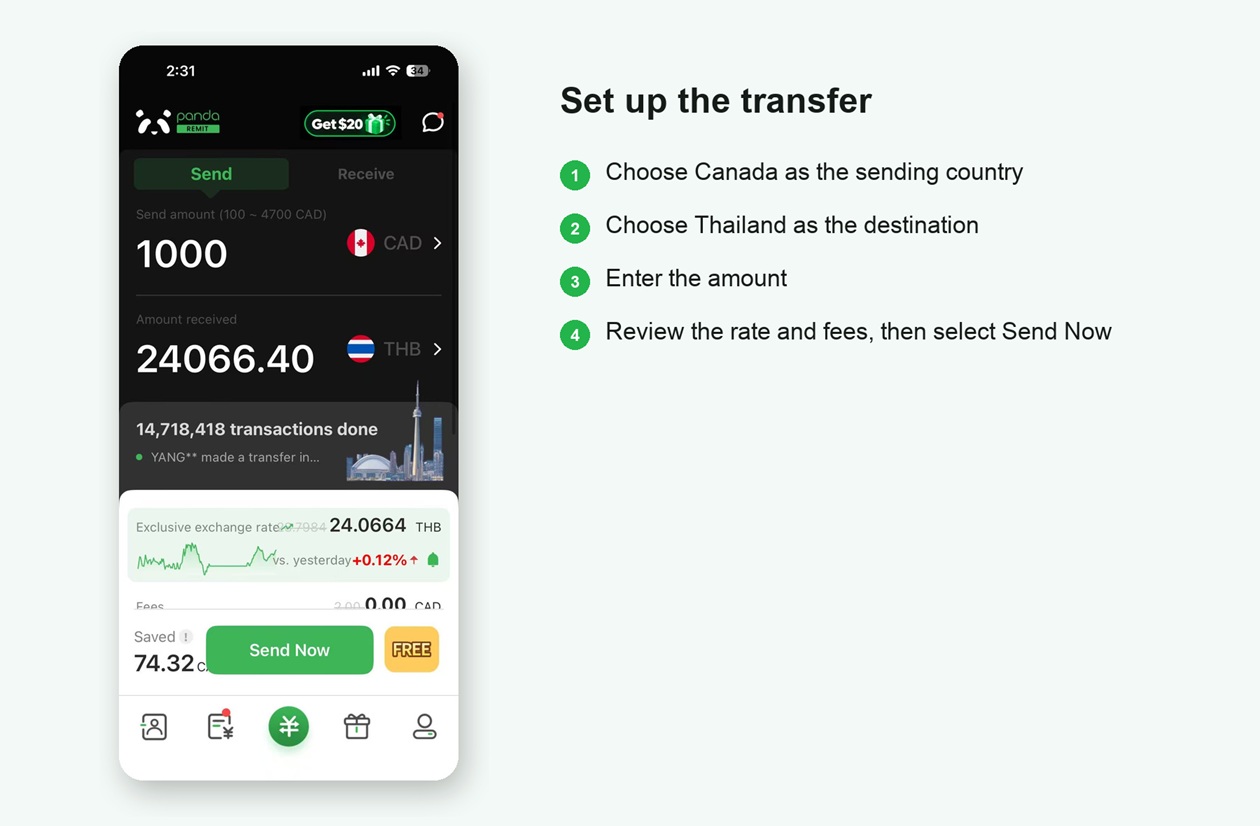
Choose Canada to Thailand and enter the transfer amount
First-time users can use a Super Rate Coupon and pay no transfer fee.
Coupon availability and promotional rates may vary. Apply an available coupon before continuing.

Stage 3 Verify Your Identity and Add the Recipient
Step 4 Provide Payer Information and Verify Your Identity
Open the account verification section, enter the required payer information, choose an accepted identity document, and photograph the document as prompted.
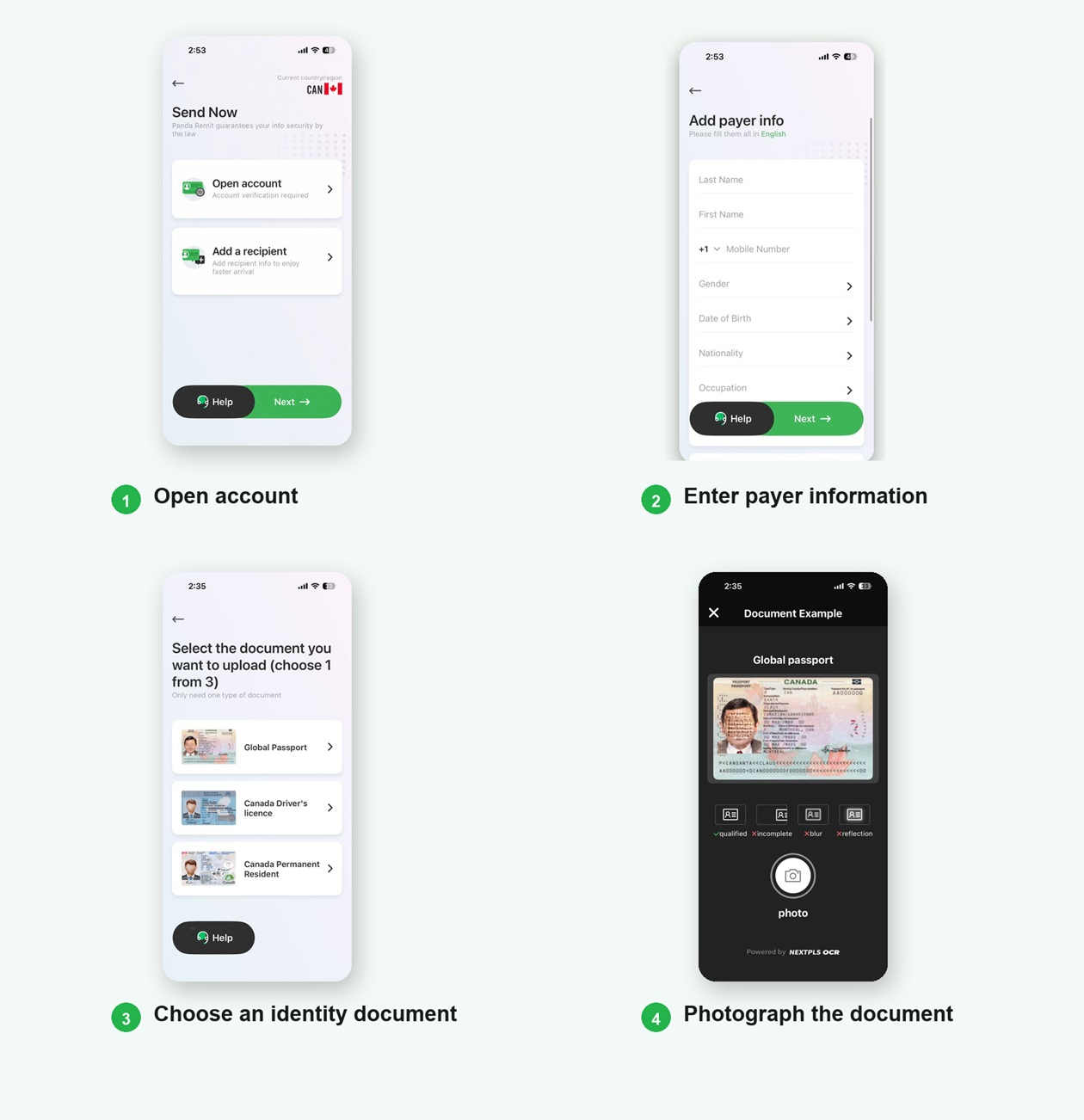
Accepted documents shown in the app include a passport, a Canadian driver's licence, and a Canadian permanent resident card.
Step 5 Choose a Delivery Method
Choose Bank Account, then select the recipient's bank. The app also shows major Thai banks such as Siam Commercial Bank, Government Savings Bank, Bangkok Bank, and Kasikorn Bank.
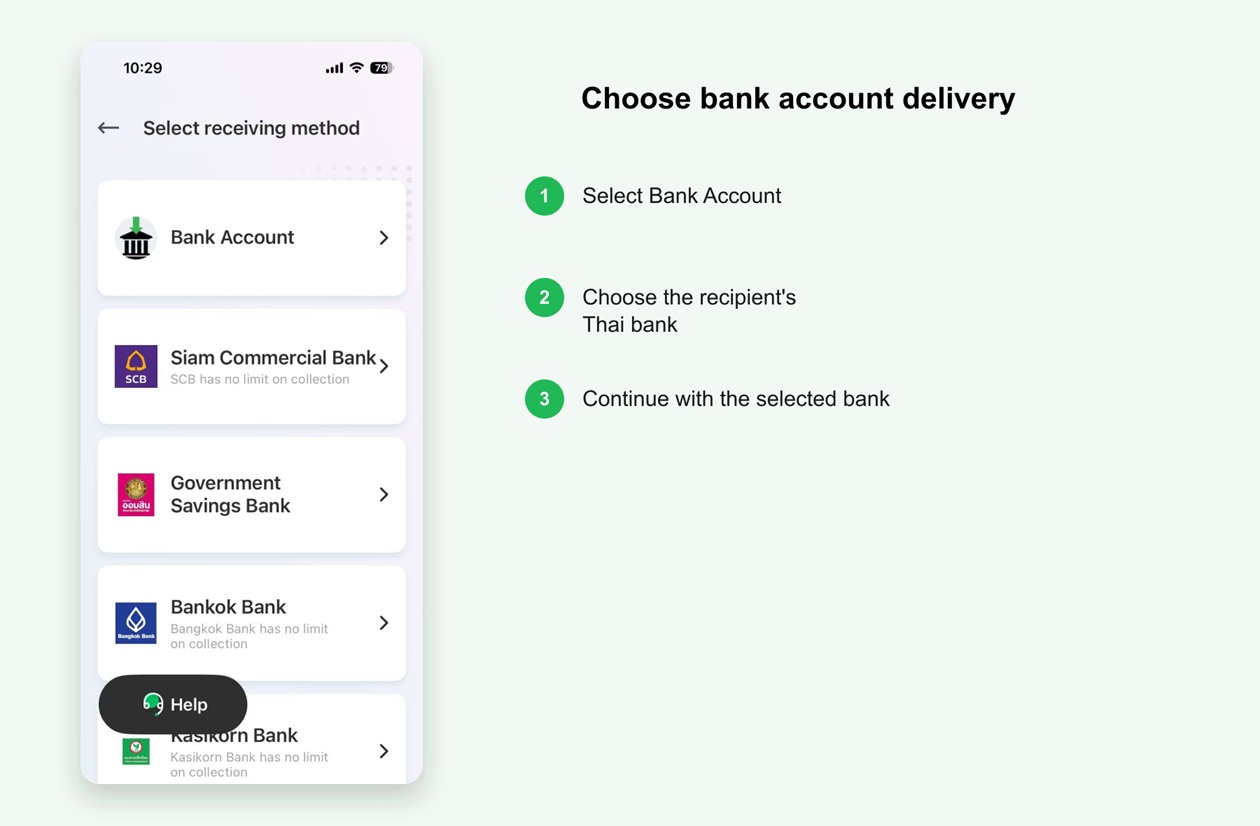
Choose bank account delivery and select a Thai bank
Step 6 Enter the Recipient Details
Enter the recipient's name exactly as shown on the bank account, select the recipient's bank, enter the account number, and choose the remittance purpose. Check every detail before continuing.
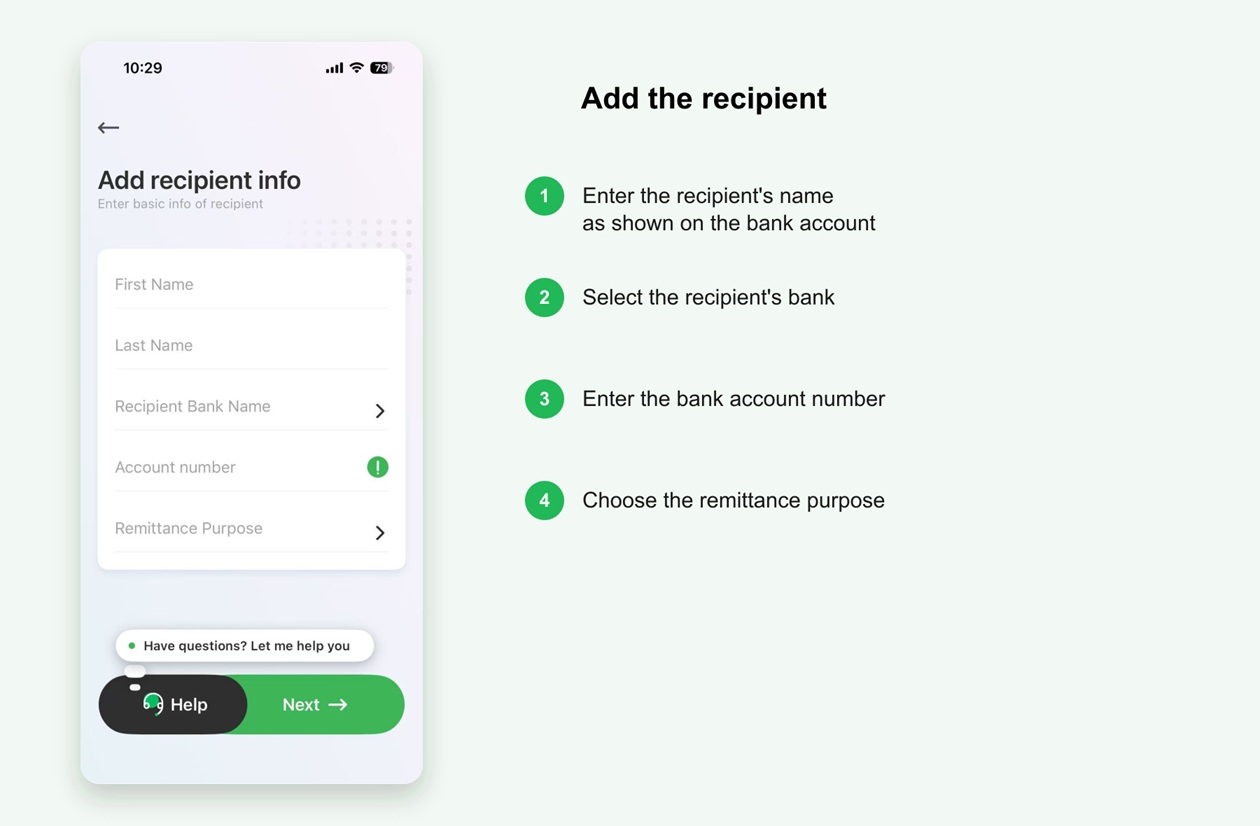
Enter the recipient and Thai bank account information

Stage 4 Review Pay and Track
Step 7 Review and Confirm the Transfer
Review the recipient and bank information, the THB amount the recipient will receive, the CAD amount you will pay, the exchange rate, fees, and any coupon. Select Send Now only after every detail is correct.
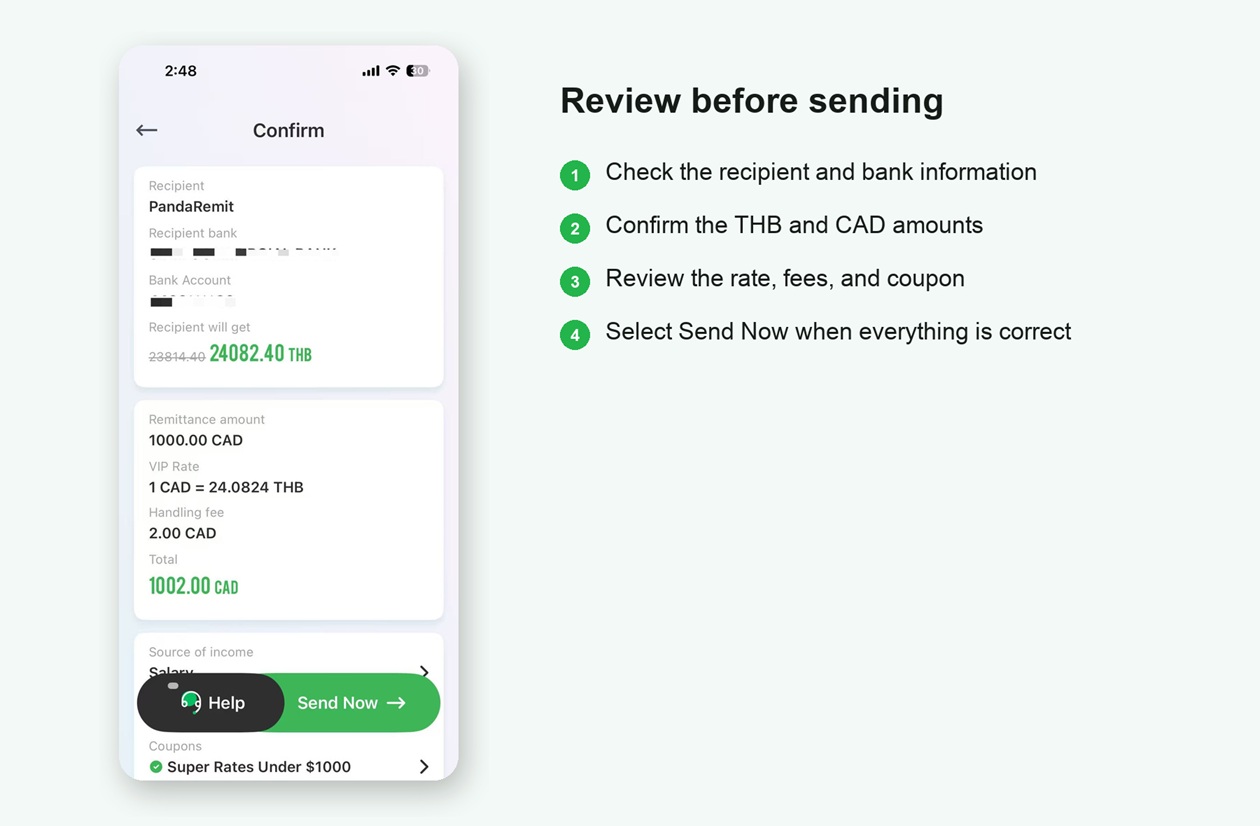
Review all transfer details before sending
Step 8 Choose a Payment Method
Select one of the payment methods available for your transfer. The app accepts Interac e-Transfer, a Visa or Mastercard debit card, or Apple Pay. Review any extra fee and processing details before continuing.
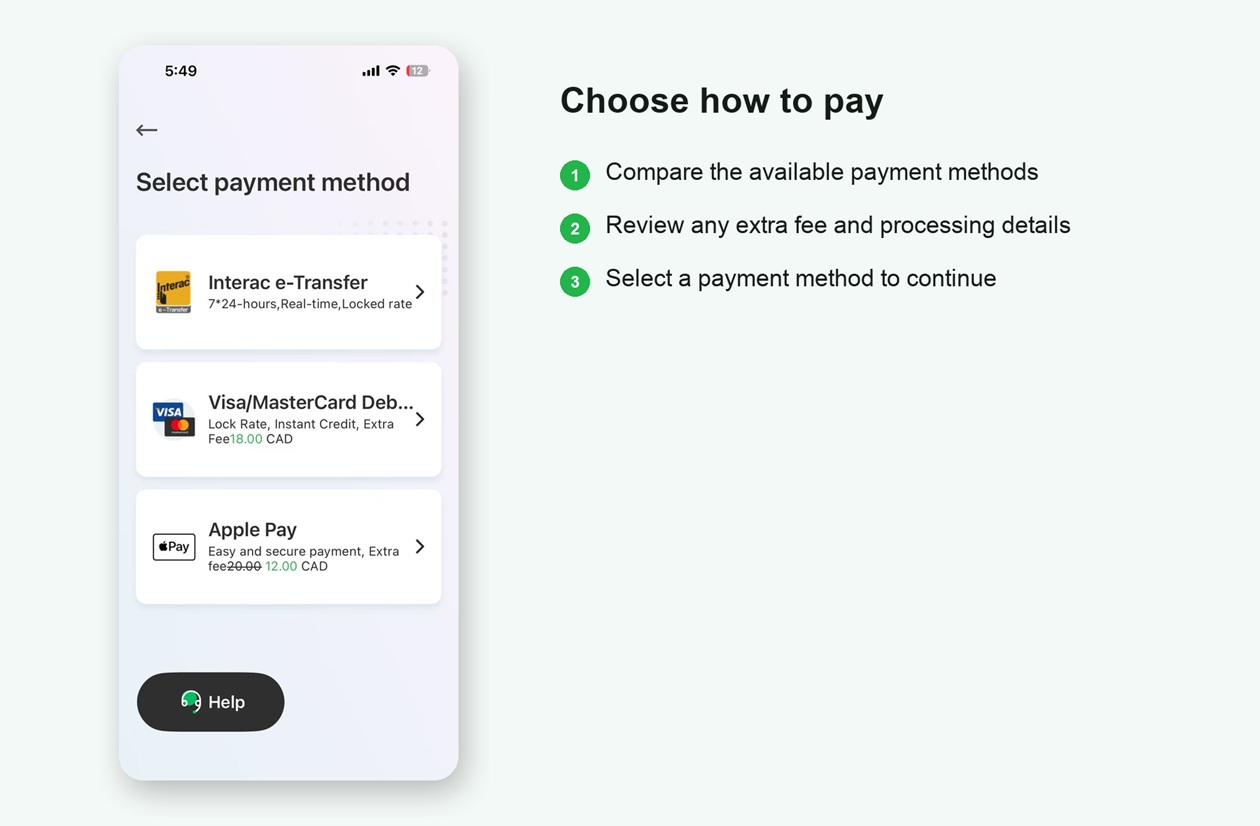
Compare and select an available Canadian payment method
Step 9 Track Your Transfer
After payment is confirmed, Panda Remit provides an order number. Use the order page to check the transfer status.
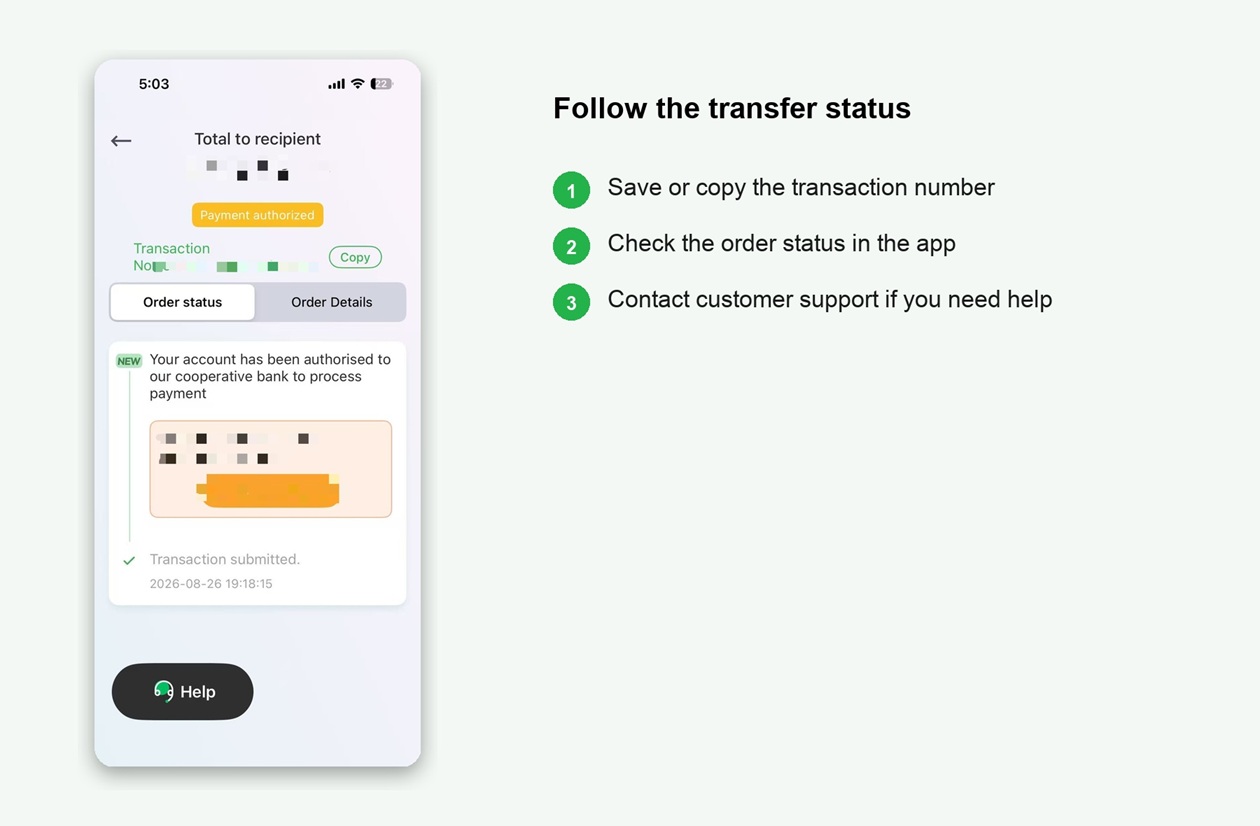
Save the order number and follow the transfer status

Security and Compliance
Canadian registration and oversight
Outside Quebec, Panda Remit's compliance page states that WoTransfer Canada Ltd. is registered with FINTRAC as a money services business (MSB), registration number M20154378. For Quebec, the same page lists funds-transfer certificate number 0000000000021205, issued by Revenu Quebec under the Money-Services Businesses Act. FINTRAC notes that MSB registration confirms registration requirements; it is not an endorsement or a licence from FINTRAC.
Data and transaction safeguards
Panda Remit states that it has passed PCI DSS certification, uses SSL encryption to protect sensitive information transmitted through its website and app, applies anti-fraud and risk-control checks, and lets users track transfer progress in the app.
Official sources checked September 2026: FINTRAC MSB Registry | Licenses and Regulation | Privacy and Security | App Store languages
Frequently Asked Questions
How fast can the money arrive?
Eligible transfers may arrive in as little as 2 minutes. Actual delivery time for a Canada-to-Thailand transfer depends on the payment and delivery methods, verification and risk checks, bank and partner processing times, weekends, and holidays.
Can I use Panda Remit in Thai?
Yes. Panda Remit supports Thai and English, along with other interface languages. Language availability may vary by device and app version.
What information should I prepare?
Prepare your mobile number or email address, an accepted identity document, and the recipient information required for the selected delivery method.
Which delivery methods are available?
For transfers to Thailand, recipients can receive money through a bank account. The app may list major Thai banks such as Siam Commercial Bank, Government Savings Bank, Bangkok Bank, and Kasikorn Bank. Availability may vary.
How do I check the transfer status?
Open the order page in Panda Remit and use the order number to follow the transfer status.
Open Panda Remit and Start Your Transfer
Fees, exchange rates, coupons, and available methods may vary. App screens may change as the product is updated.