How to Send Money from Canada to the Taiwan Region of China
PandaRemit_OP - 2026-10-26 09:44:19.0 0

Use Panda Remit to send Canadian dollars (CAD) from Canada and let your recipient in the Taiwan region receive New Taiwan dollars (TWD).
What to prepare before you start
-Your usual mobile number or email address and an accepted identity document.
-Your recipient's registered account name, bank, account number, email address, mobile number and address.
-he amount you want to send, the actual purpose of the transfer and an available Canadian payment method.
Follow the eight steps below to register, verify your identity, add a recipient, pay and track your transfer.

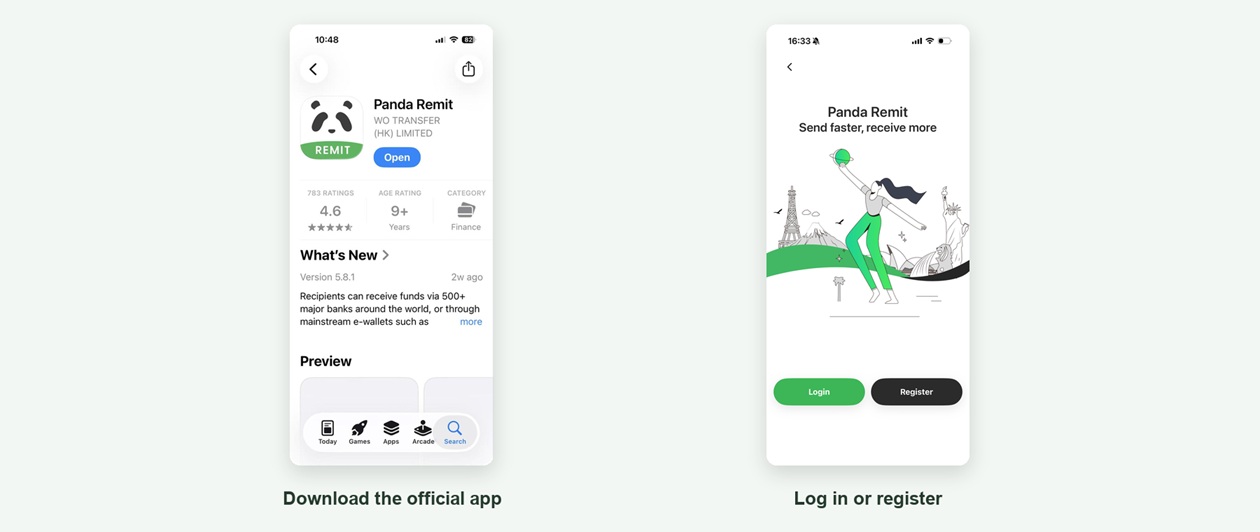
Step 1 Download and open Panda Remit
Find the official Panda Remit app in the App Store or Google Play and download it. Open the app after installation. New users should select Register; existing users can select Login.



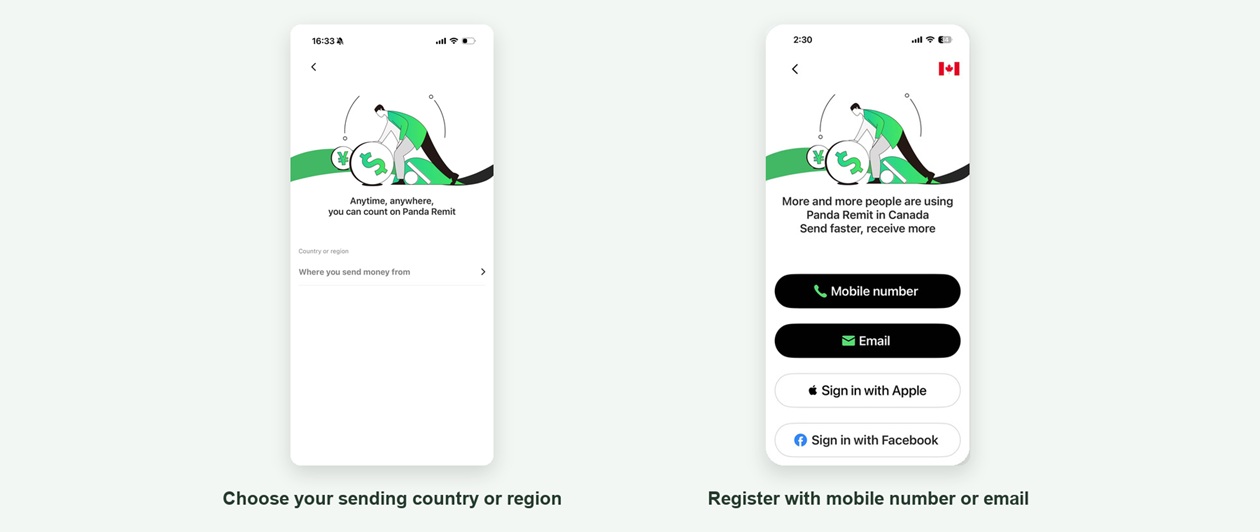
Step 2 Select Canada and register
Choose Canada as the country you are sending from. Register with your mobile number or email address and follow the verification prompts. You can then set up your transfer to the Taiwan region.

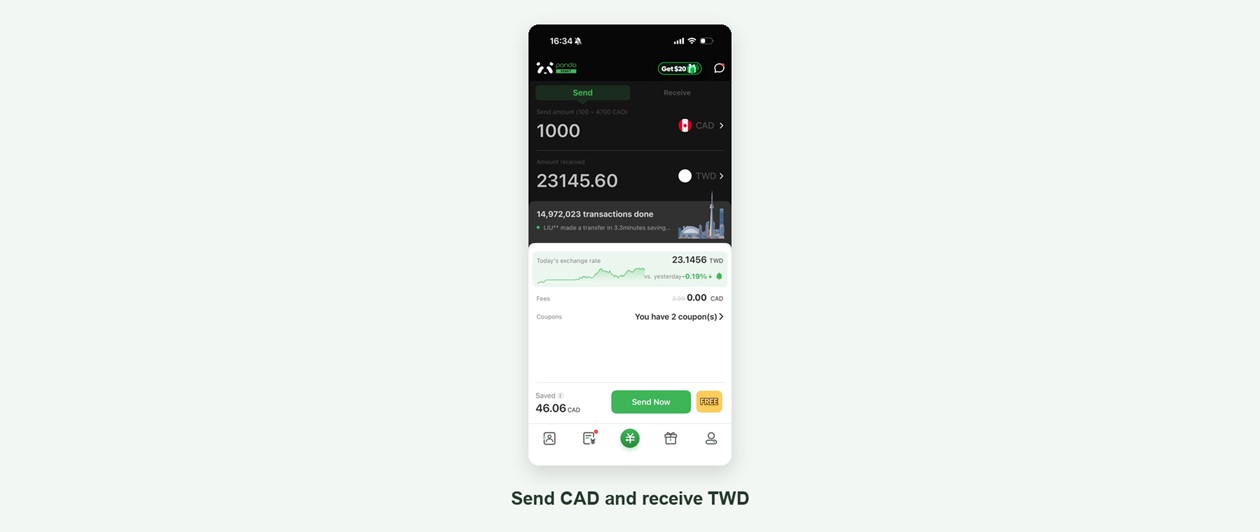
Step 3 Choose the sending and receiving currencies
Set the sending currency to CAD. Select the Taiwan region as the receiving destination and TWD as the receiving currency. Enter your transfer amount, review the exchange rate, transfer fee and estimated recipient amount, then select Send Now.

Step 4 Verify your identity
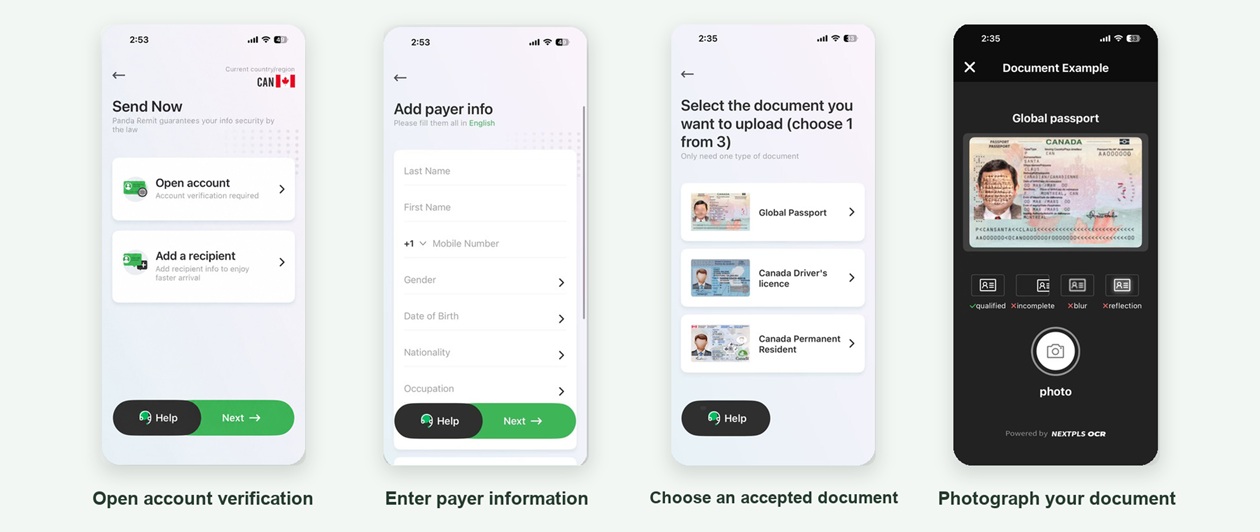
When prompted, open account verification and enter the required payer information. Choose an accepted identity document, photograph it and complete face recognition as instructed. Document options include a passport, a Canadian driver's licence and a Canadian permanent resident card. Follow the document options and verification requirements displayed in your app.

Step 5 Choose a receiving method and add recipient details
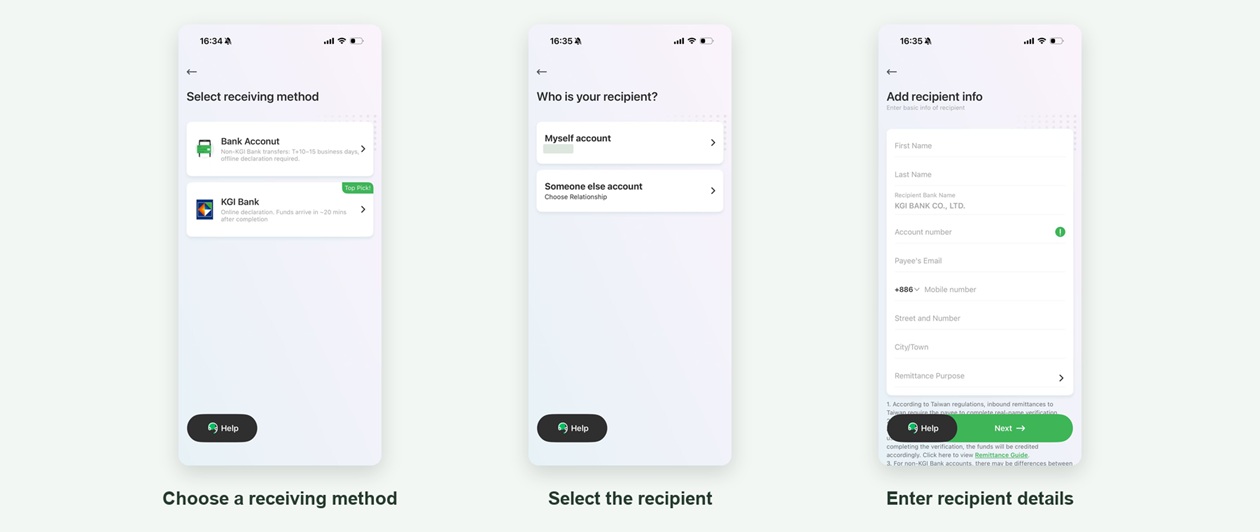
A KGI Bank account is recommended because incoming cross-border and local interbank transfer fees are waived under this receiving service. Select KGI Bank, then enter the recipient's name, account number, email address, mobile number, address and remittance purpose. Make sure the name and account number match the bank's records.
For a non-KGI Bank account, the receiving-side fee is 0.05% of the incoming amount, with a minimum of TWD 200 and a maximum of TWD 800, plus a TWD 30 interbank transfer fee.

Step 6 Review the full transfer details
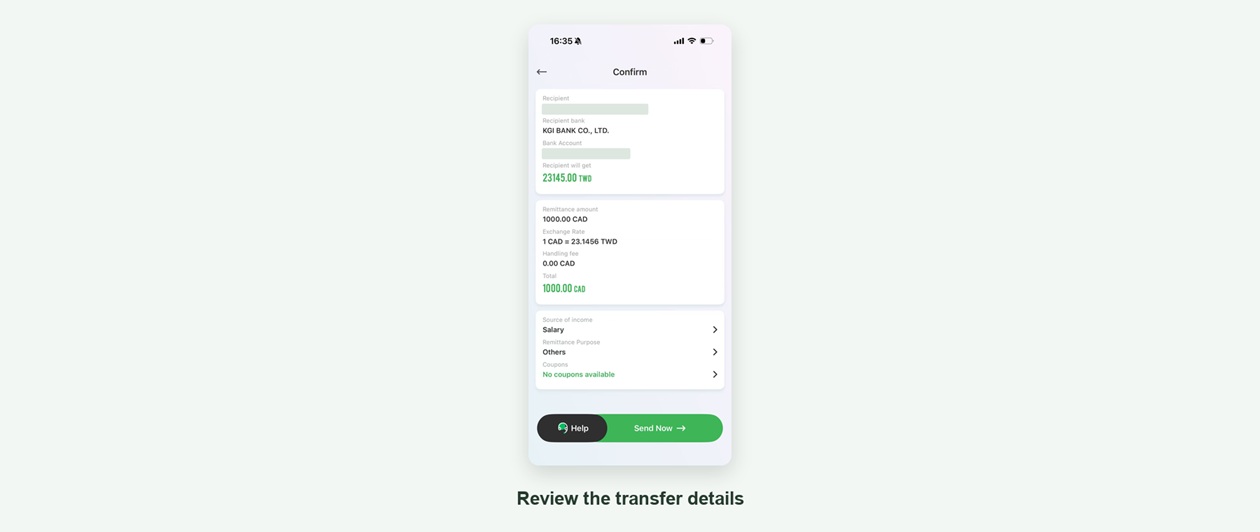
Check the recipient, bank and account number, estimated TWD amount, CAD transfer amount, exchange rate, fees and total payment. Enter the source of income and remittance purpose accurately. Once everything is correct, select Send Now.

Step 7 Choose your payment method
Select an available method for your transfer: Interac e-Transfer, a Visa or Mastercard debit card, or Apple Pay. Review any additional payment fee and the final total, then follow the app instructions to complete payment.


Step 8 Track your transfer
After the order is created, open the order page to view the transaction number and latest status. If recipient identity verification or an incoming foreign-exchange declaration is required, use the sharing option shown on the order page to send the receiving guide to your recipient. Paid or Processing payment does not mean the funds have arrived; keep checking until receipt is confirmed.
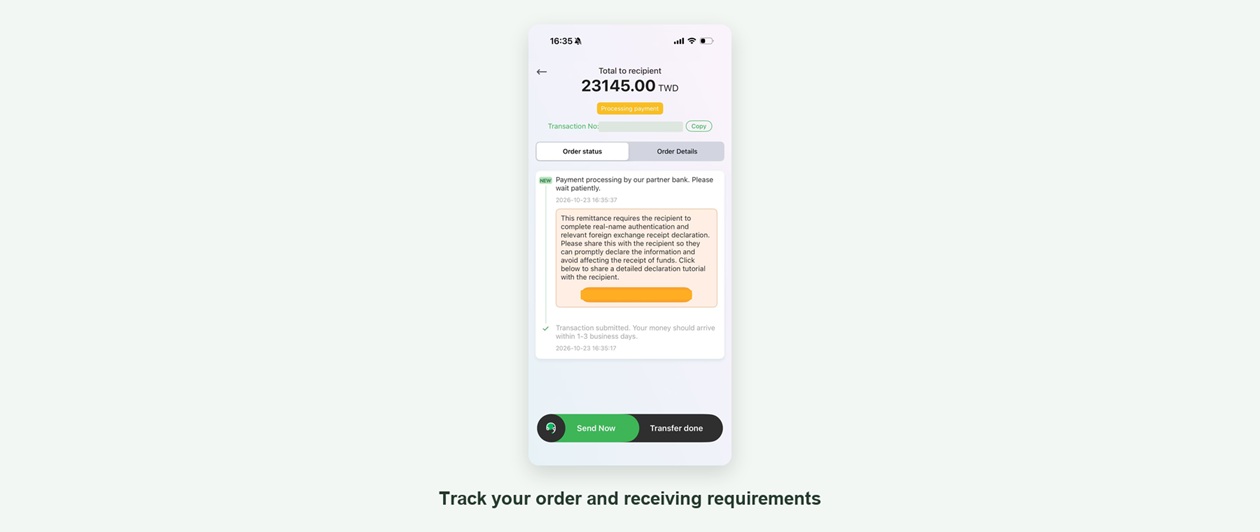
Screenshots are illustrative. Exchange rates, fees, offers, available services and estimated arrival times are subject to your actual order, the app display and bank notices.
Read the receiving and declaration guide for the Taiwan region
Frequently asked questions
Does my recipient need a KGI Bank account
No. Other bank accounts are also available, but declaration procedures, fees and processing times differ. Confirm the receiving account with your recipient and check whether a branch visit is required.
Why has the transfer not arrived after payment
The transfer may still be awaiting payment confirmation, identity or risk checks, recipient verification, declaration or bank processing. Check the order status and notifications, then contact the receiving bank or Panda Remit support through the app to confirm what to do next.
What if I entered incorrect recipient details
Contact support through the app immediately. Provide the order number and explain the error. Whether the transfer can be amended, cancelled or returned depends on its status and the bank's processing progress.
How can I protect my account and personal details
Use only the official app and official bank channels. Do not share passwords or verification codes. If a verification or declaration notice seems unclear, confirm it through an official channel before proceeding.
Open Panda Remit and start your transfer
Fees, exchange rates, coupons and available payment methods may vary. App screens may change as the product is updated.