How to register on Panda Remit from Singapore
PandaRemit - 2025-05-28 16:56:34.0 714
🚀 High Rate, Low Fees, Fast and Reliable!
Send money from Singapore to 30+ countries/regions, including Malaysia, Indonesia, India, Thailand, the Philippines, and more.
Download Panda Remit now! Available on Google Play & App Store.

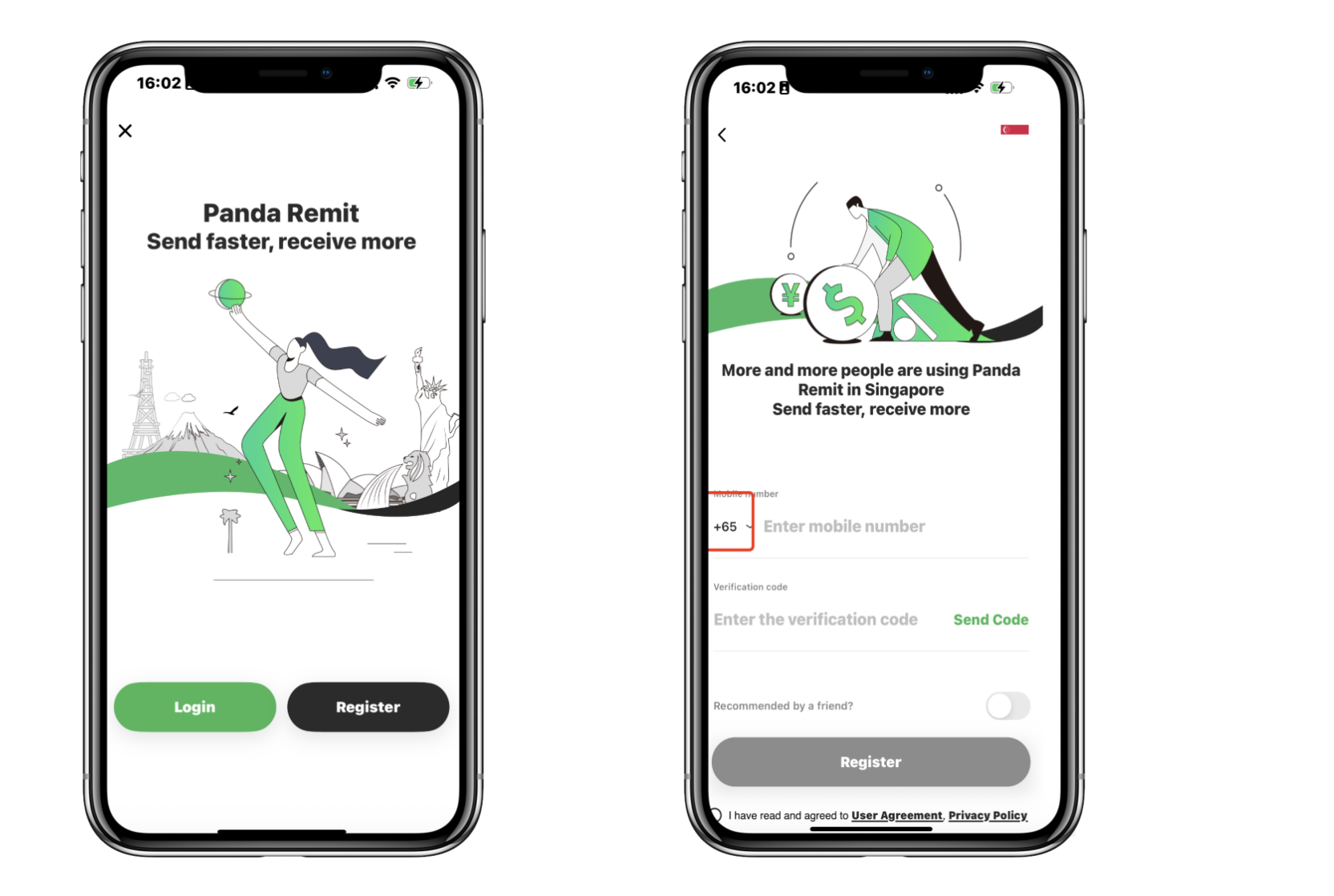
1. New users click “Register” to create the account.
2. Select sending money from Singapore, and fill in your phone number to register.
If you don’t have a Singapore phone number, click the arrow to select your country code.
If you were invited by a friend, you can enter their invitation code during registration.

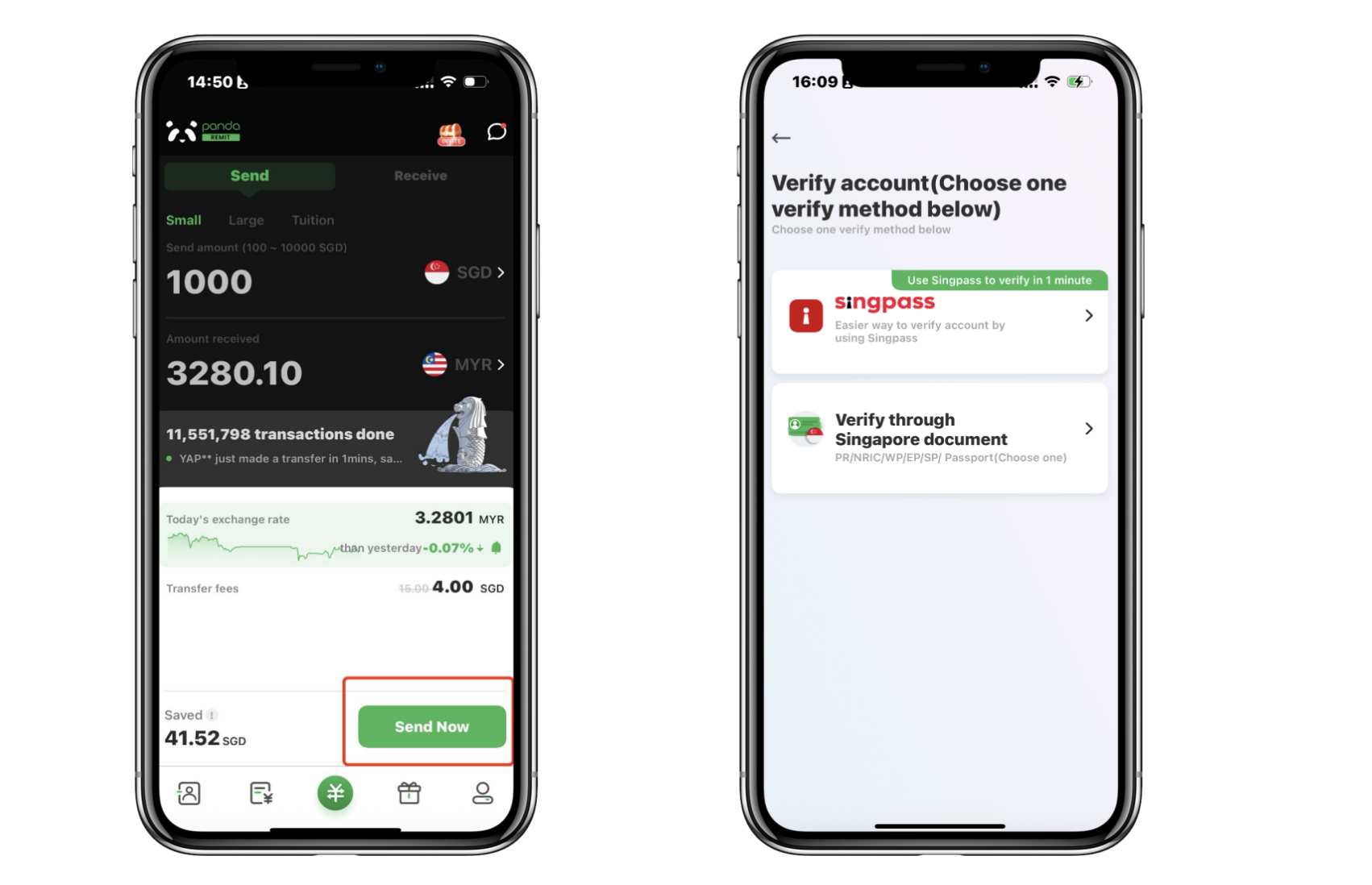
1. Click "Send Now" button to start verification
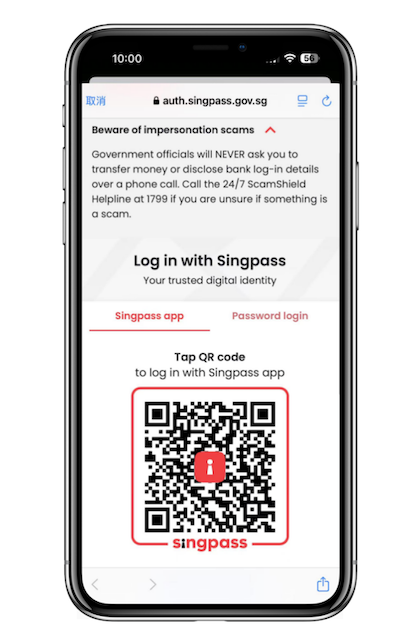
2. Recommend using Singpass to verify your account– Fast and Easy
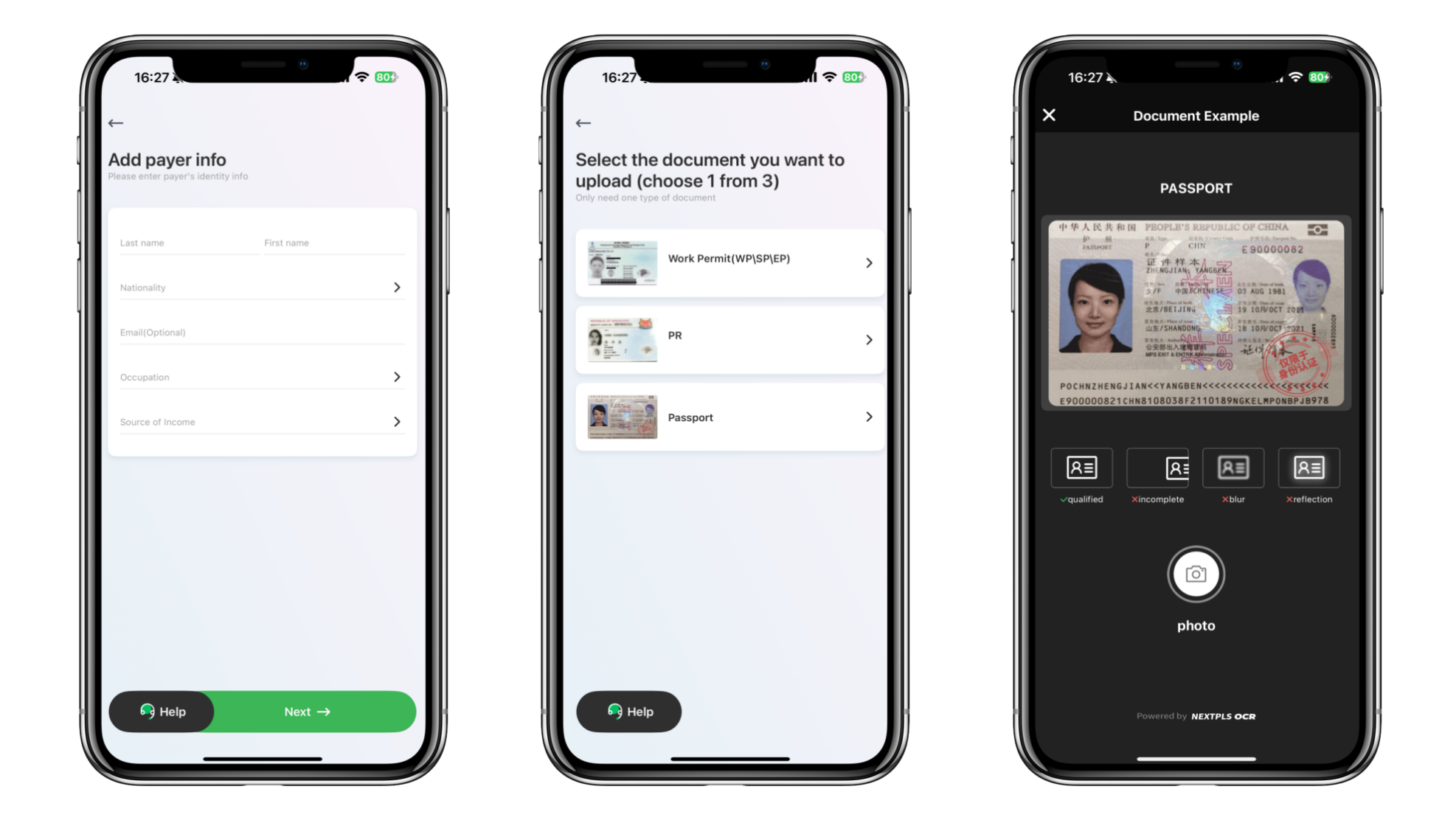
3. If you currently do not have Singpass, you can fill in your personal information, upload your ID manually. You can use a valid passport, or WP/SP/EP, PR
4. Please ensure you take a clear, complete photo of the original physical ID document (screenshots or scanned copies are NOT accepted)
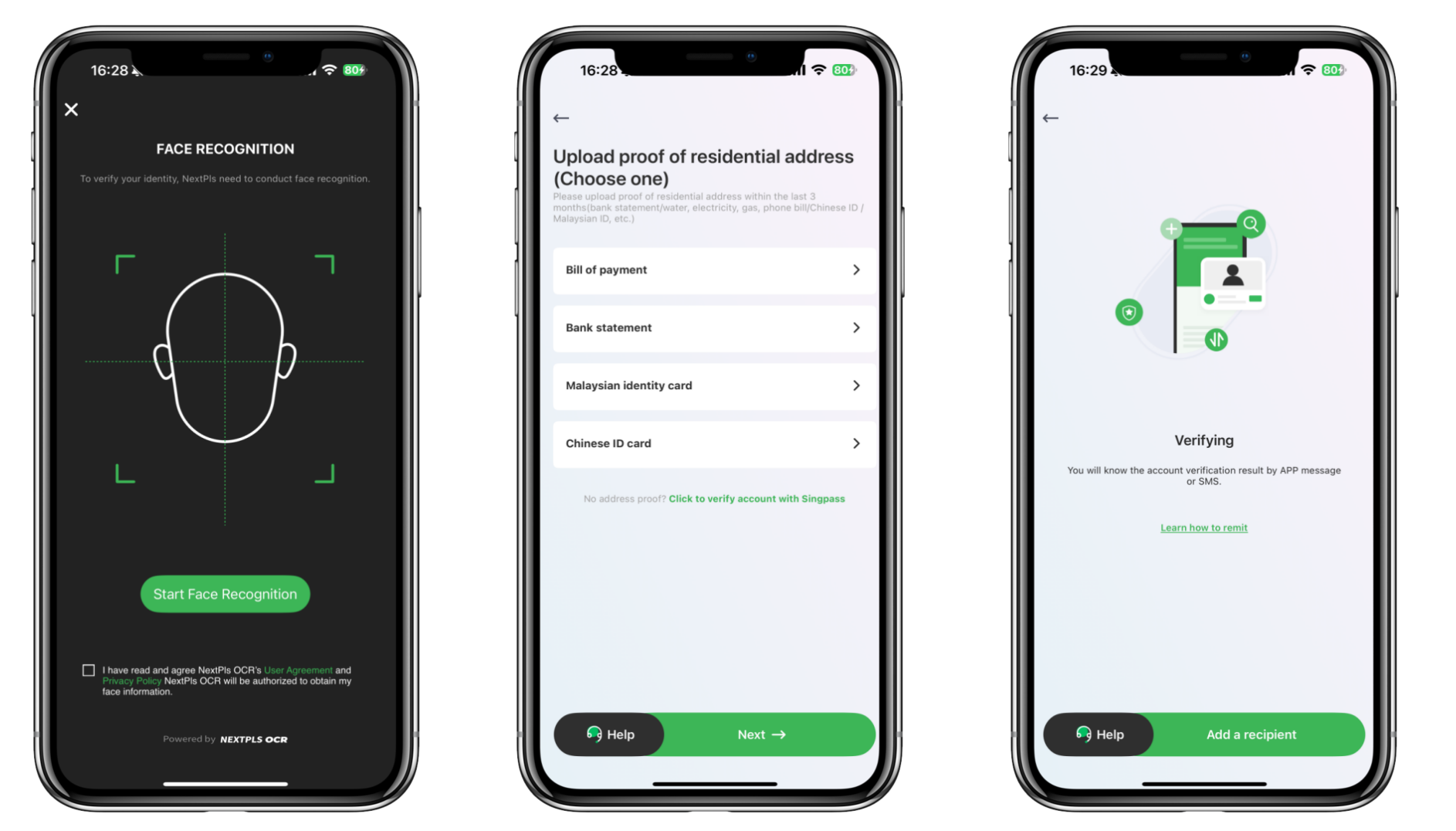
5. Complete the face recognition as required in sufficient light
6. Upload proof of residential address as required
Please make sure your bill or bank statement shows:
✅ your name
✅ residential address
✅ date (within the last 3 months)
✅ issuing institution
✅ and is clearly photographed
For your ID card:
Please upload a clear, complete photo of the original card (not a screen) with no reflection
7. Wait for account verification. Normally, your account will be verified within 30 mins



