How to Send Money Internationally from Australia with Panda Remit
PandaRemit_OP - 2026-10-19 11:09:39.0 30

A step-by-step guide for new Panda Remit users
Send money from Australia to Thailand
โอนเงินจากออสเตรเลียไปประเทศไทย
Send money from Australia to India
ऑस्ट्रेलिया से भारत पैसे भेजें
”This guide shows you how to create a Panda Remit account, choose a destination, add your recipient, select a payment method, and track an international transfer from Australia.

Send money internationally from Australia with Panda Remit
Before You Begin
Have the following information ready before you start
-A mobile number or email address
-An accepted identity document
-The recipient's personal and account information
-A supported payment method
Guide Overview
-Get Started
-Set Up Your Transfer
-Verify Your Identity and Add the Recipient
-Review, Pay, and Track

Stage 1 Get Started
Step 1 Download Panda Remit
Download the official Panda Remit app from the App Store or Google Play. Open the app after installation.
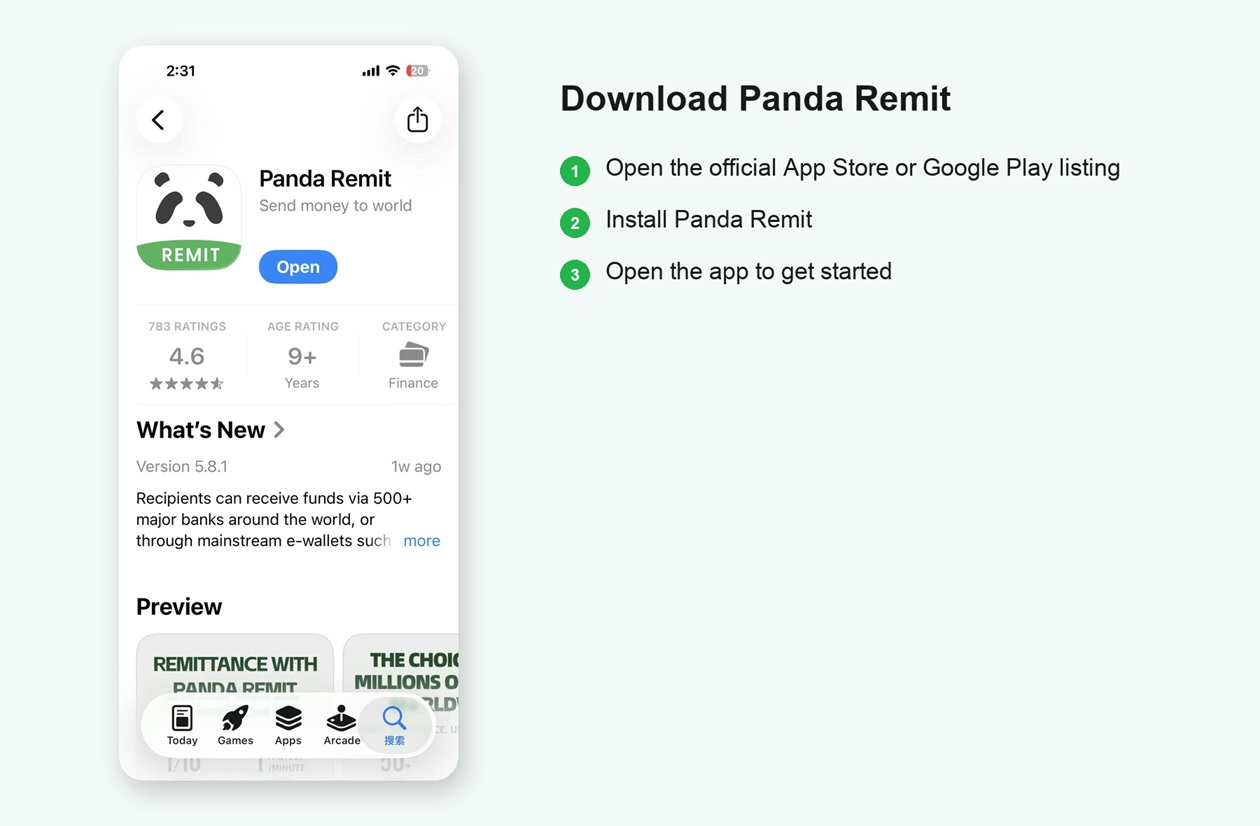
Download and open the official Panda Remit app
Download Panda Remit

★ ★ ★ ★ ★
4.5/5 (540,000 reviews)

★ ★ ★ ★ ★
4.8/5 (350,000 reviews)
Step 2 Create Your Panda Remit Account
On the transfer screen, confirm AUD, choose a destination and receiving currency, then select Send Now. If prompted, select Register and choose Australia as the country or region you are sending from. The screenshots use Thailand and THB as an example.
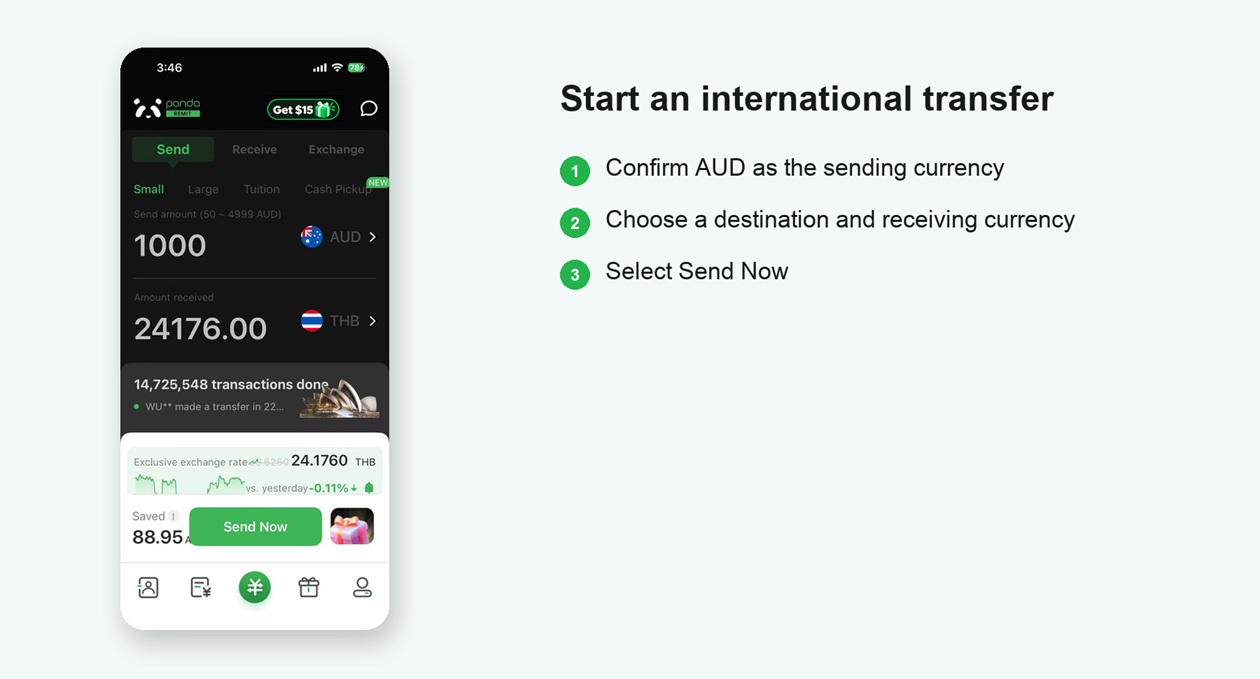
Start an international transfer and open the registration flow
Register with a mobile number or email address. If a friend invited you, enter the referral code before you finish registration.
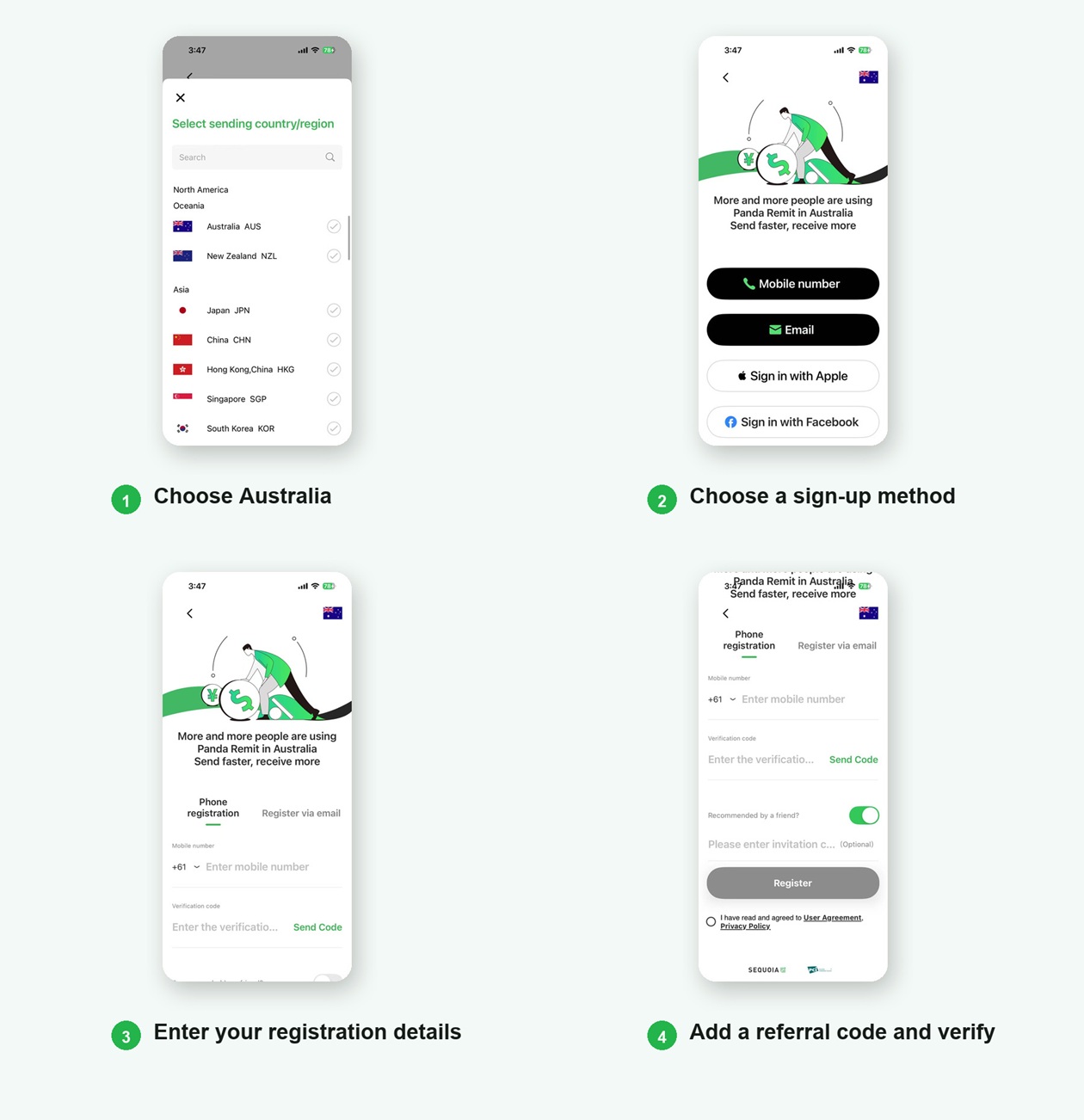
You are now ready to make your first transfer.

Stage 2 Set Up Your Transfer
Step 3 Choose the Destination and Amount
Set Australia as the sending country, then choose the destination and receiving currency. Enter the amount you want to send and review the exchange rate, fees, and the amount your recipient will receive.
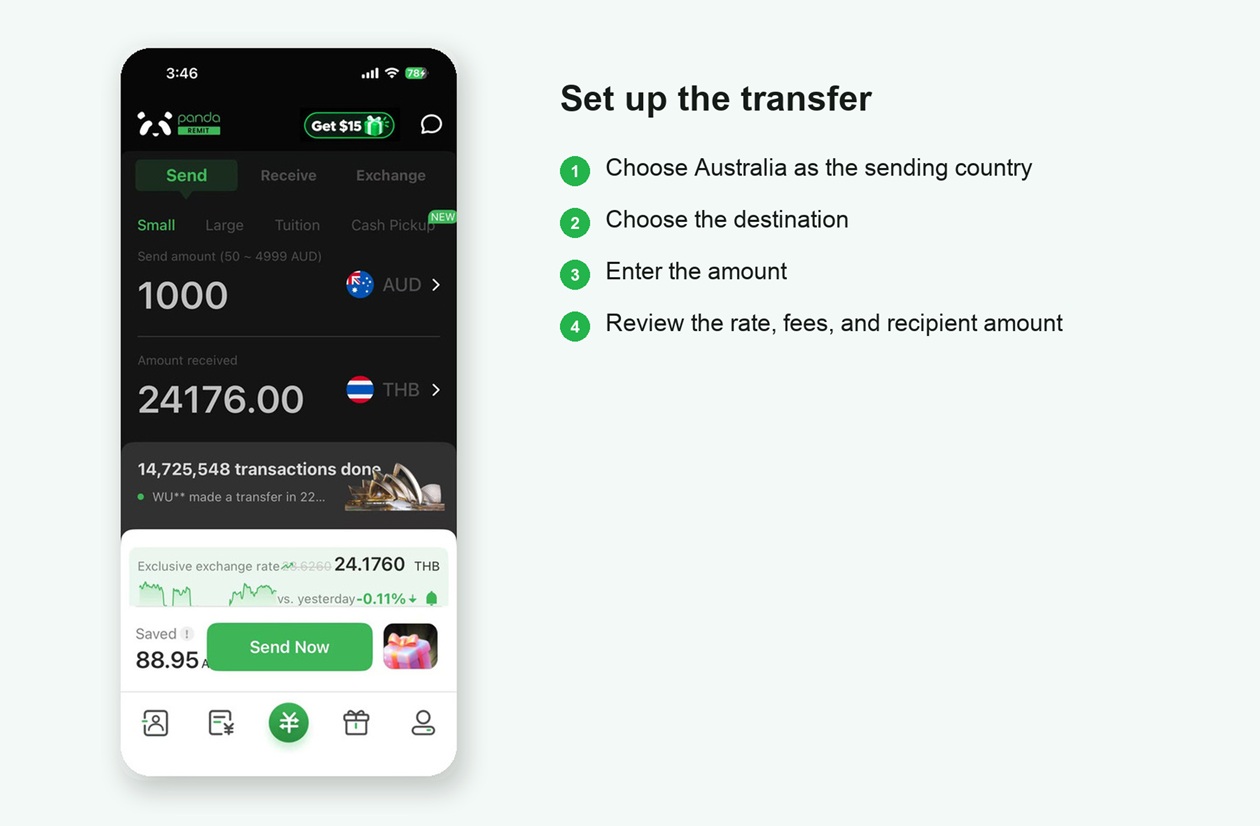
Choose the destination and enter the transfer amount
First-time users can use a Super Rate Coupon and pay no transfer fee.
Coupon availability and promotional rates may vary. Apply an available coupon before continuing.

Stage 3 Verify Your Identity and Add the Recipient
Step 4 Provide Payer Information and Verify Your Identity
Open the account verification section, enter the required payer information, choose an accepted identity document, photograph the document, and take a selfie when prompted.
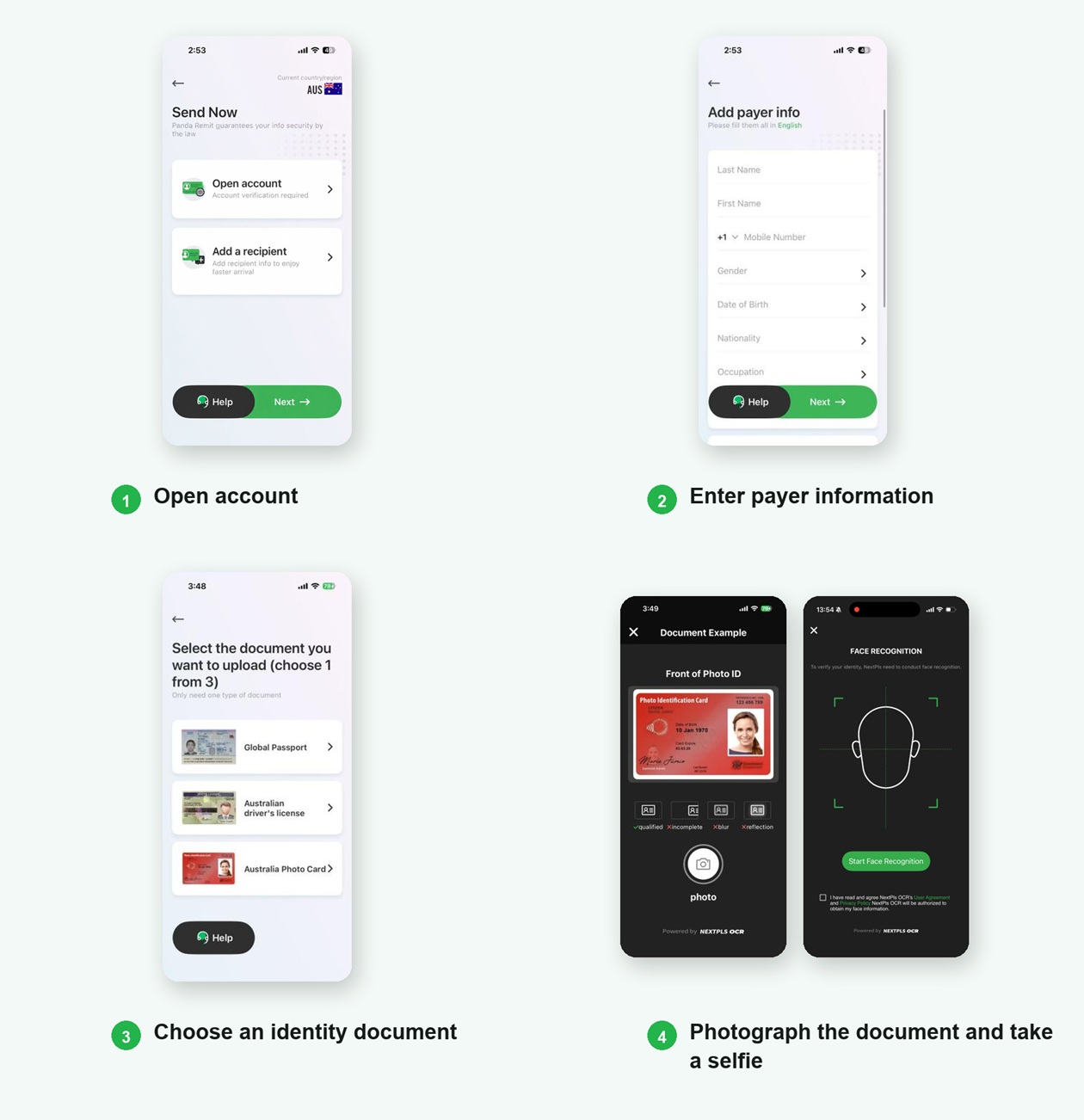
Documents shown in the app include a passport, an Australian driver's licence, and an Australian photo card. Accepted documents may vary.
Step 5 Choose a Delivery Method
Available delivery methods vary by destination and may include a bank account, mobile wallet, or cash pickup. Select an option shown in the app, then follow the instructions for that method.
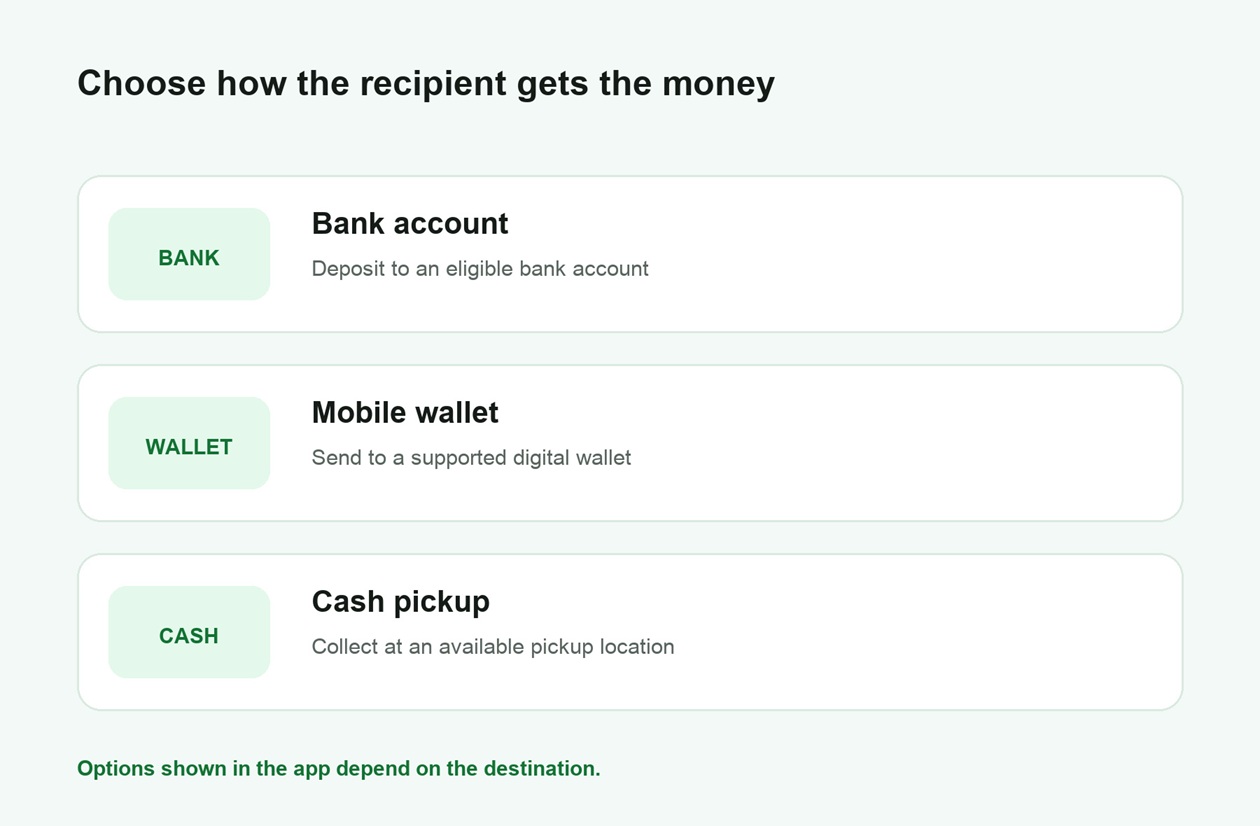
Choose a delivery method available for the destination
Step 6 Enter the Recipient Details
Enter the recipient's name exactly as required for the selected delivery method. Add the requested bank account, wallet, or cash-pickup information, and choose the transfer purpose if prompted. Check every detail before continuing.
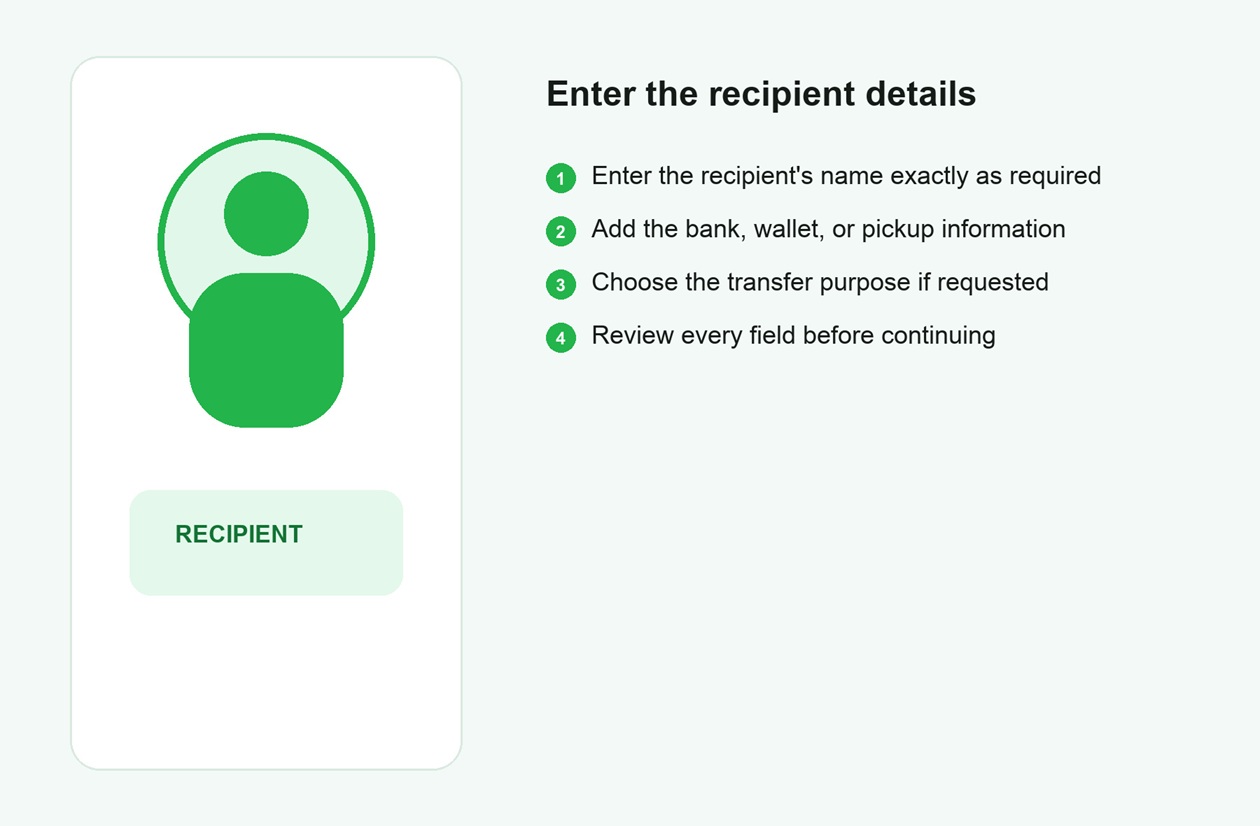
Enter the recipient information required for the selected method

Stage 4 Review, Pay, and Track
Step 7 Review and Confirm the Transfer
Review the recipient and delivery information, the amount the recipient will receive in the selected currency, the AUD amount you will pay, the exchange rate, fees, and any coupon. Select Send Now only after every detail is correct.
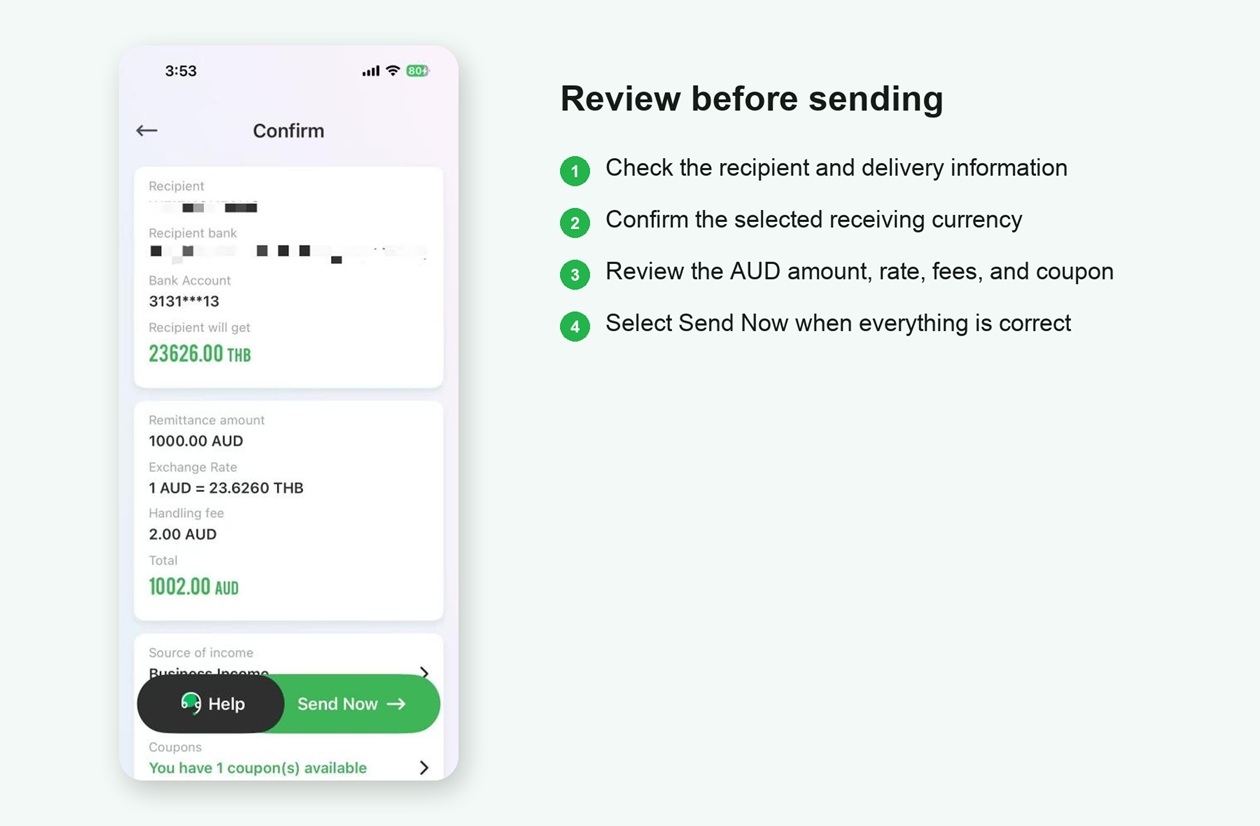
Review all transfer details before sending
Step 8 Choose a Payment Method
Select one of the payment methods available for your transfer. The app may show PayID, bank transfer, or a Visa or Mastercard debit card. Review any rate-lock period, processing time, and extra fee before continuing.
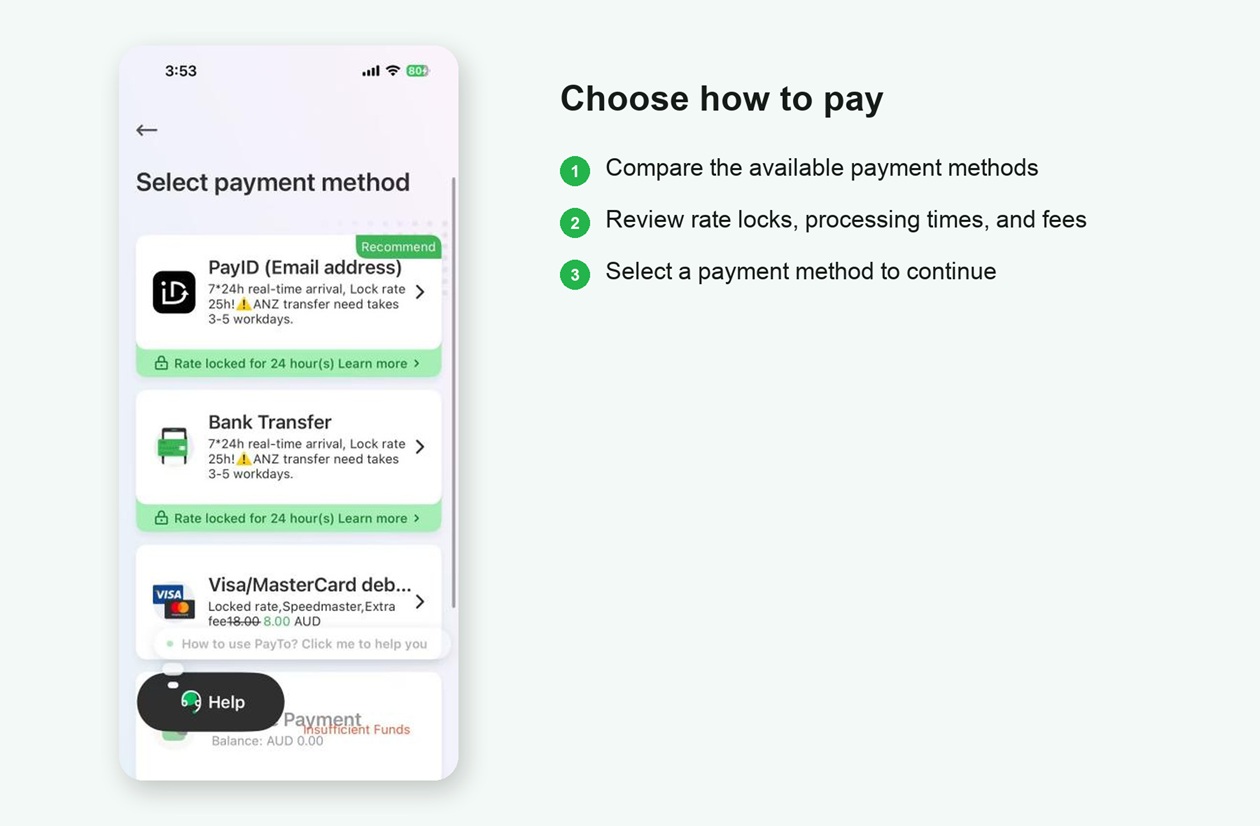
Compare and select an available Australian payment method
Step 9 Track Your Transfer
After payment is confirmed, Panda Remit provides an order number. Use the order page to check the transfer status, and contact support if you need help.
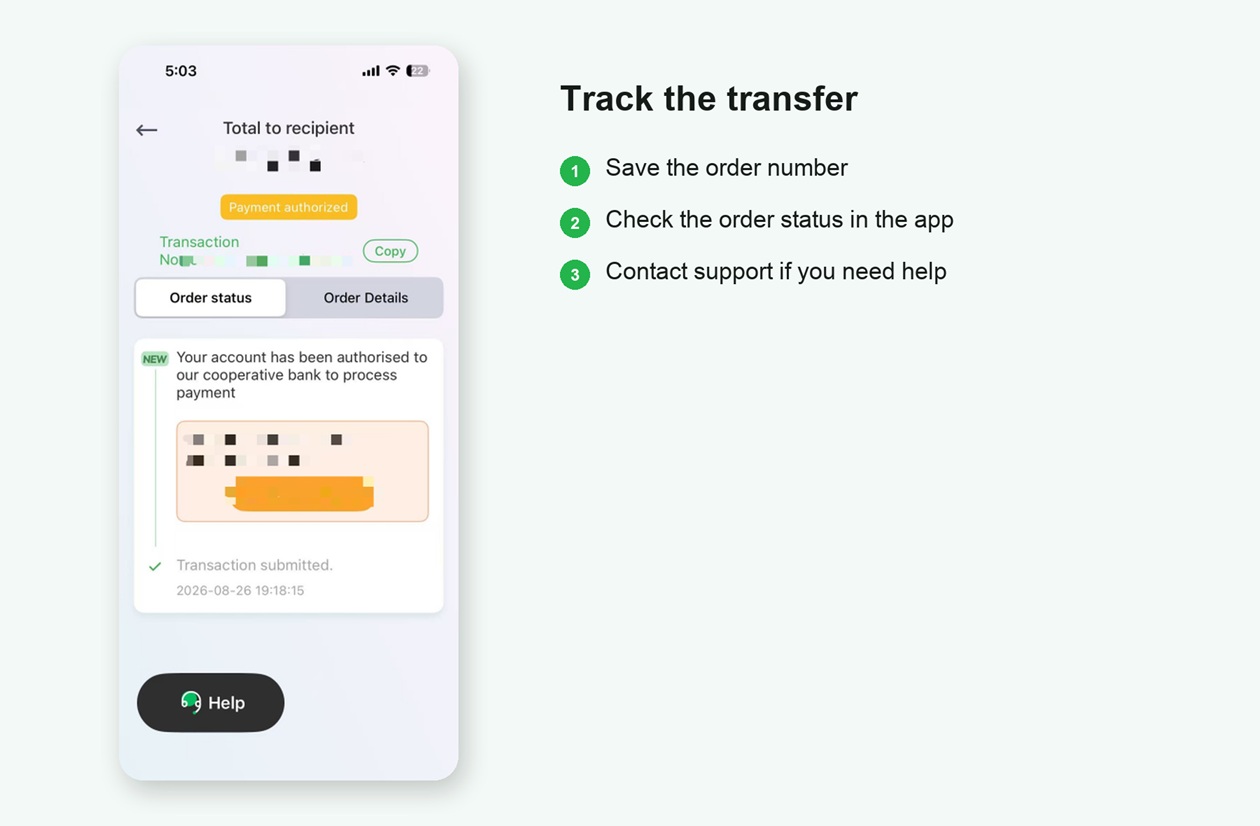
Save the order number and follow the transfer status

Security and Compliance
Australian registration and oversight
Panda Remit's compliance page states that international transfer services in Australia are provided by ITRANSFER AUSTRALIA PTY LTD., registered with AUSTRAC as a Remittance Service Provider, ABN 38 636 239 131. AUSTRAC states that remittance service providers must be registered before providing remittance services in Australia.
Data and transaction safeguards
Panda Remit states that it has passed PCI DSS certification, uses SSL encryption to protect sensitive information transmitted through its website and app, applies anti-fraud and risk-control checks, and lets users track transfer progress in the app.
Official sources checked October 2026: Panda Remit Australia information | Licenses and Regulation | AUSTRAC remittance provider registration | App Store languages
Frequently Asked Questions
How fast can the money arrive?
Eligible transfers may arrive in as little as 2 minutes. Actual delivery time depends on the destination, payment and delivery methods, verification and risk checks, bank and partner processing times, weekends, and holidays.
Which destinations can I send money to?
Supported destinations and receiving currencies are shown in the app. Availability may vary by location, account status, and product updates.
What information should I prepare?
Prepare your mobile number or email address, an accepted identity document, and the recipient information required for the selected delivery method.
Which delivery methods are available?
Available delivery methods vary by destination and may include a bank account, mobile wallet, or cash pickup. Check the options shown in the app for your transfer.
How do I check the transfer status?
Open the order page in Panda Remit and use the order number to follow the transfer status.
Open Panda Remit and Start Your Transfer
Fees, exchange rates, coupons, and available methods may vary. App screens may change as the product is updated.